Install Maven (Global Tools)
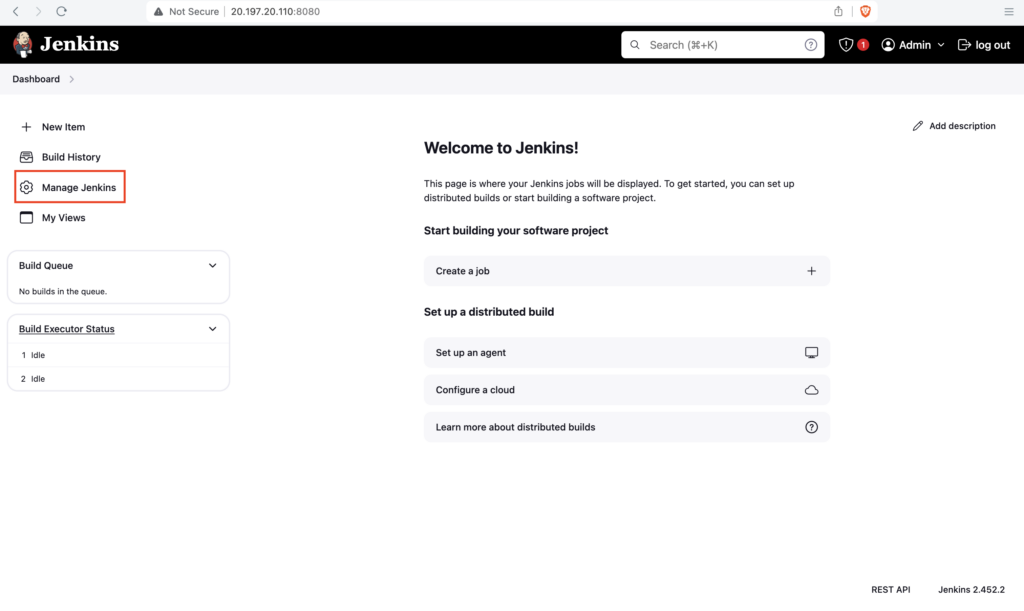
Goto Jenkins dashboard, click on Manage Jenkins
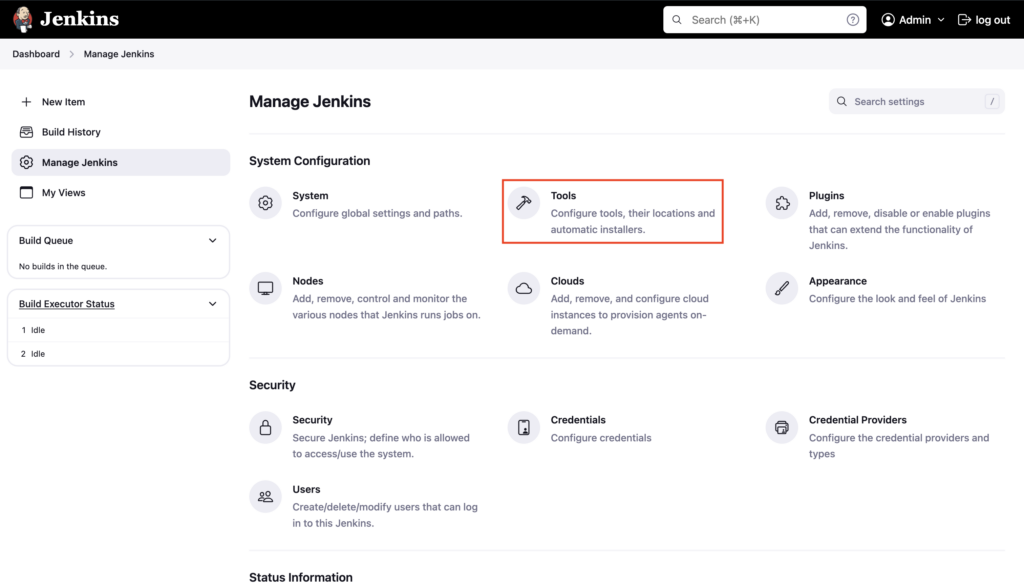
Click on Tools
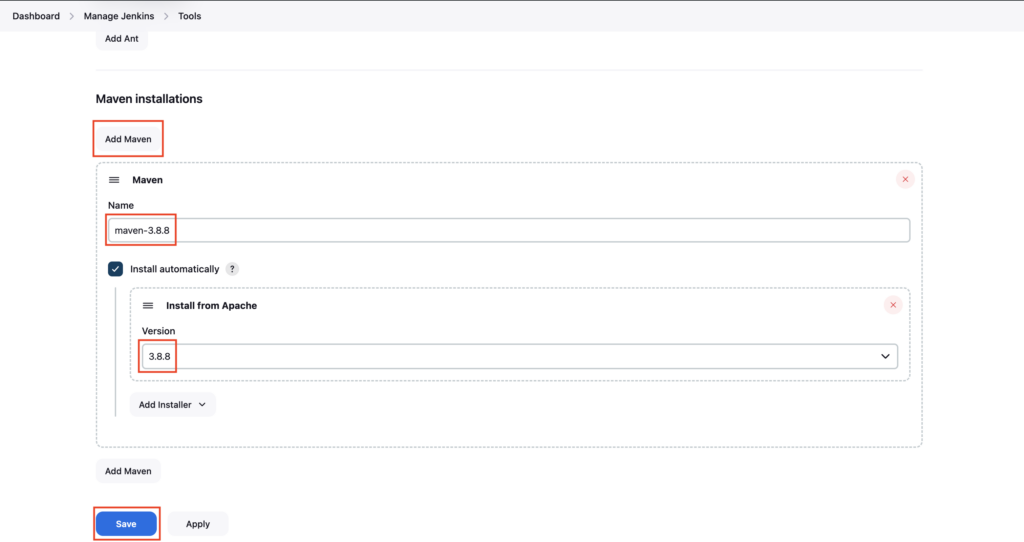
Scroll down, under Maven installations click on Add Maven
Enter the name maven-3.8.8 and under version choose 3.8.8 and click on Save
Maven will be automatically installed on the Jenkins server in the first build
Important Tips
Tip
Tool Name: The "Name" you give here (e.g., maven-3.8.8) is the exact string you must use in your Jenkinsfile tools block. If they don't match, the pipeline will fail.
Important
Auto-Install: The "Install automatically" checkbox is very powerful. It downloads Maven from Apache's servers on the fly. However, in restricted environments (no internet), you might need to point to a local path where Maven is pre-installed.
🧠 Quick Quiz — Global Tools
If you configure a specific Maven version (e.g., 3.8.8) in "Global Tool Configuration" and check "Install automatically", when does Jenkins install it?