Git Overview Part 2
📺 Git Overview - Part 2
This section covers private repositories and authentication.
🔒 Create Private Repository
- Click on New.
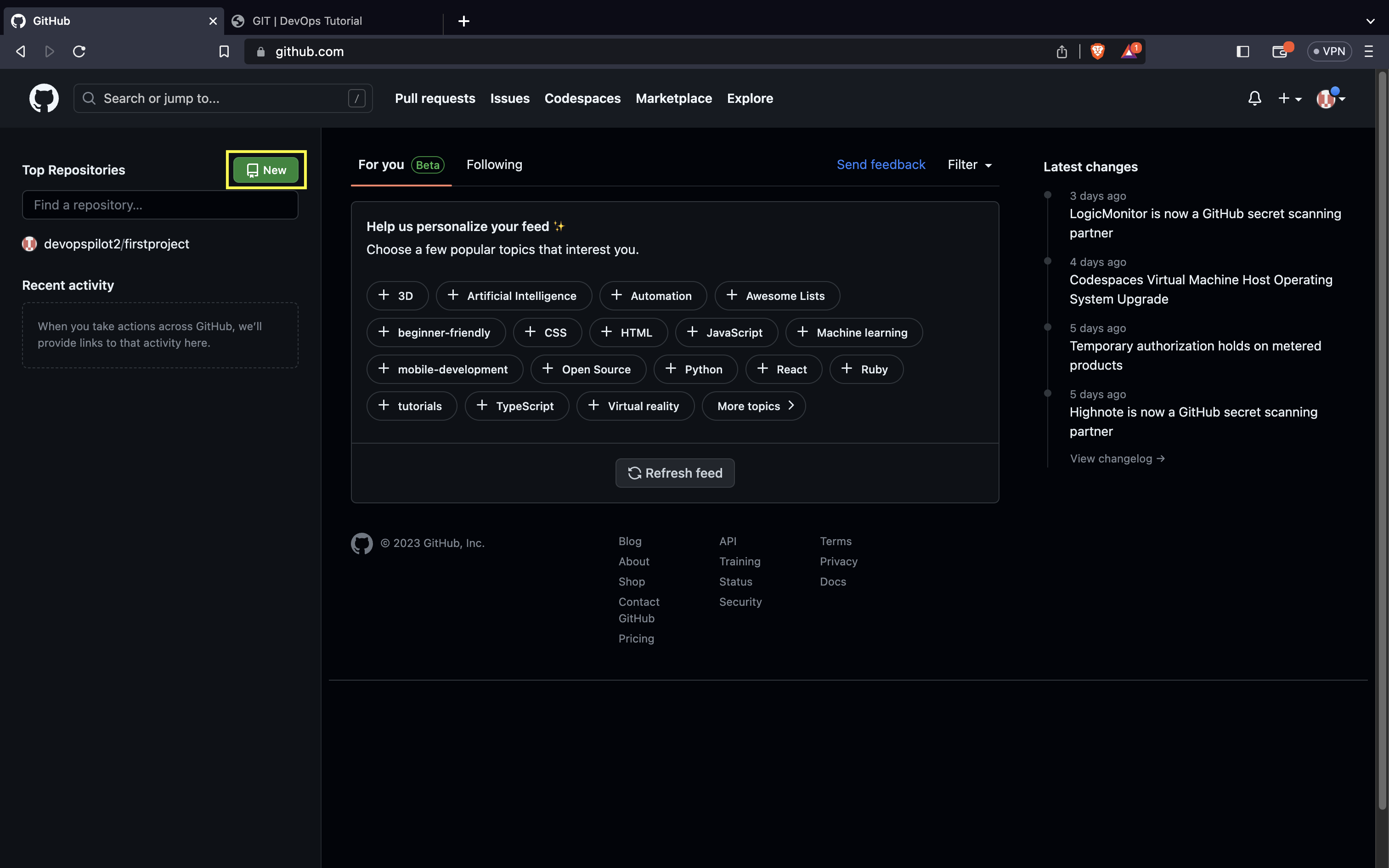
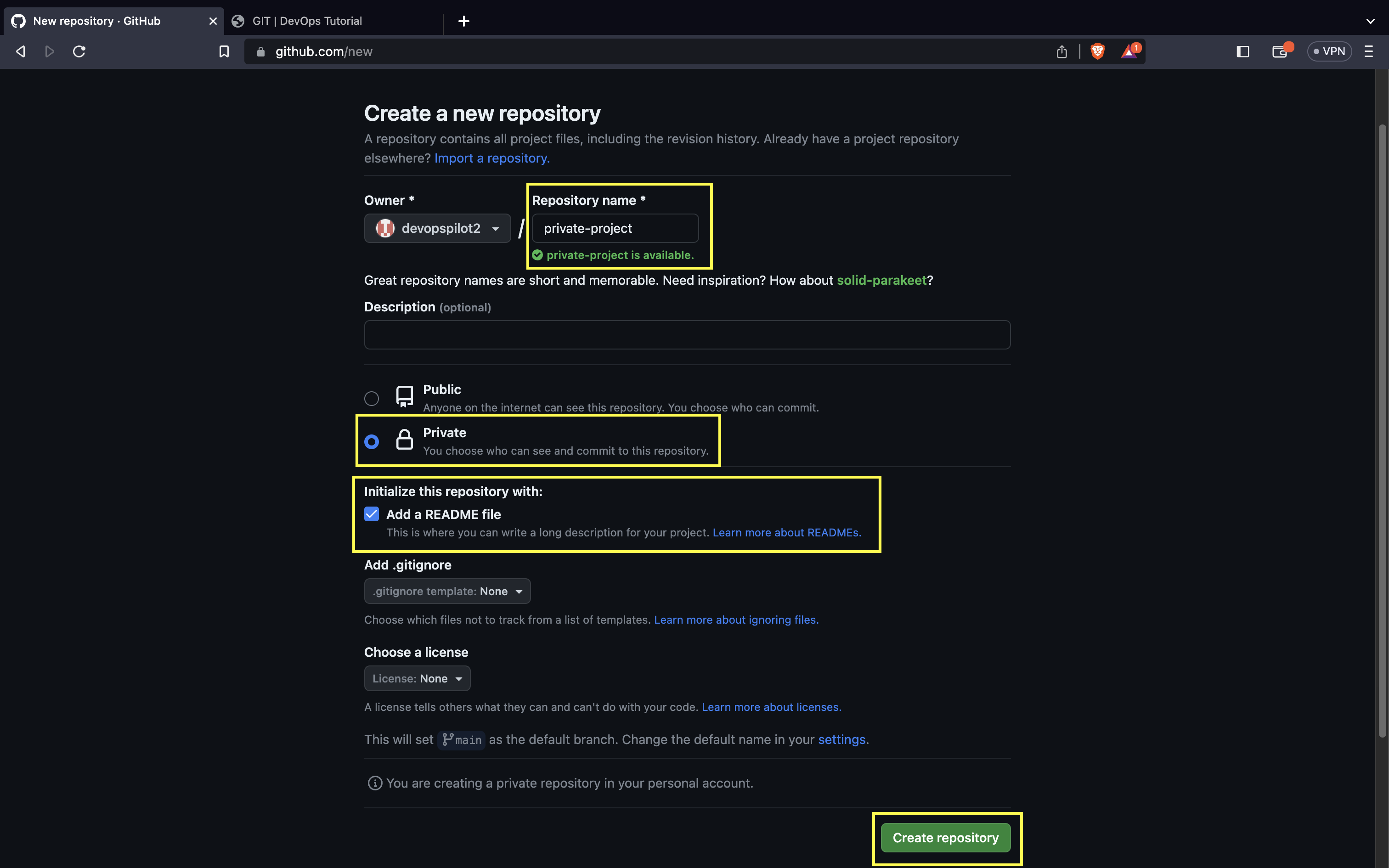
- Give the repository name and check the Private box and Add a README file box.
- Click on Create repository.
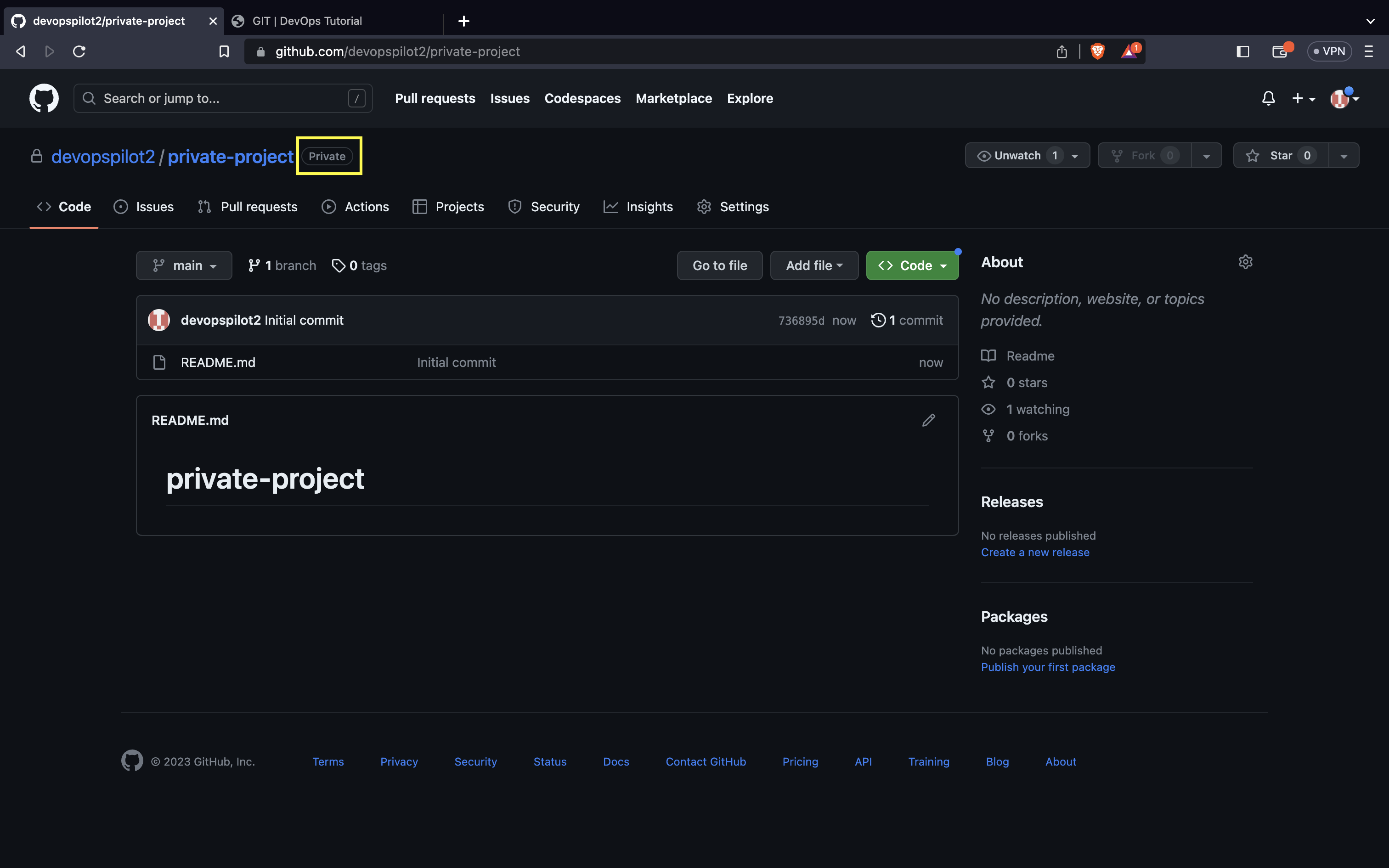
Next to the repository name, you can see it is mentioned as Private.
For private repositories, you need to authenticate to clone the repo.
There are two types of authentication: * Using Personal Access Token (PAT) * Using SSH public/private keys
🔑 Authentication
How to authenticate using Personal Access Token (PAT)
Let's generate the token (as shown in Part 1).
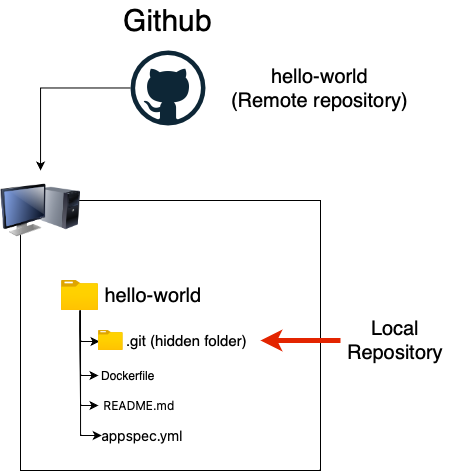
Remote vs Local Repo
🎥 Watch on YouTube:

🧠 Quick Quiz — Authentication
#
Why do you need a PAT (Personal Access Token) for Git?
📝 Want More Practice?
👉 Start Git Intermediate Quiz (20 Questions)
📬 DevopsPilot Weekly — Learn DevOps, Cloud & Gen AI the simple way.
👉 Subscribe here