How to Create a Public Repository
📂 Create a Public Repository
A public repository is visible to everyone on the internet.
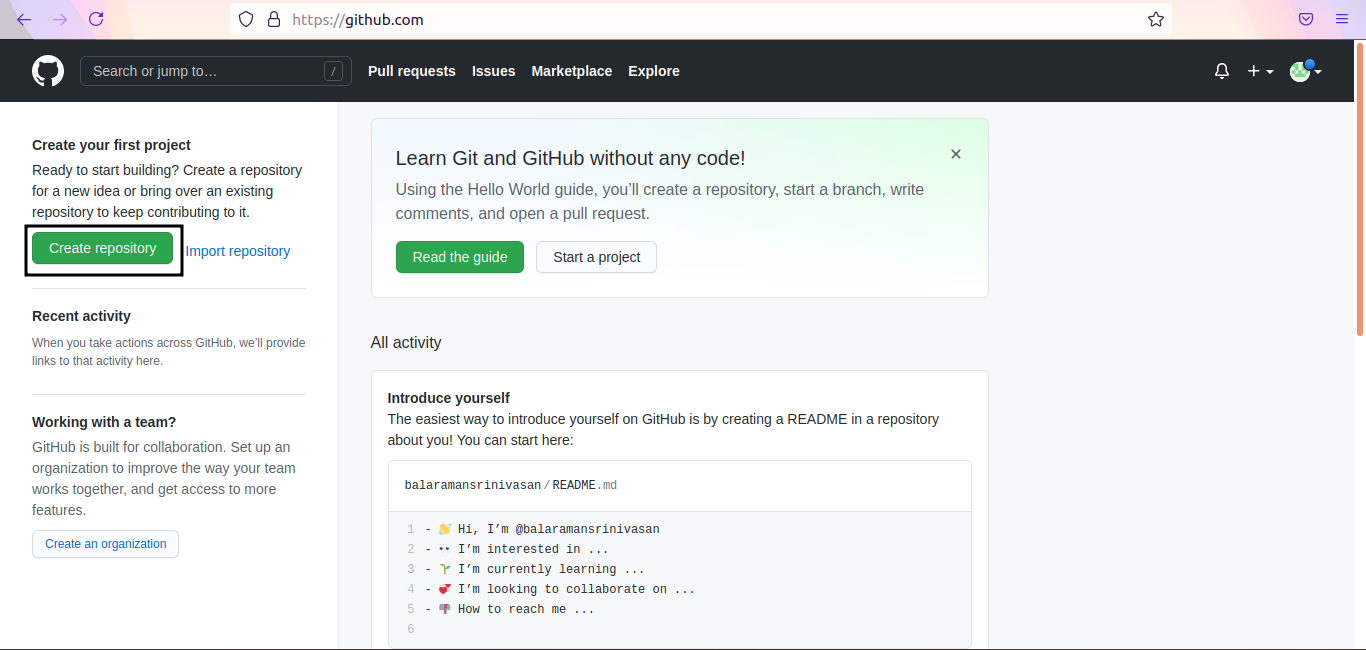
1. Create New Repo
Log in to GitHub and click on New (or "Create repository").
2. Configure Details
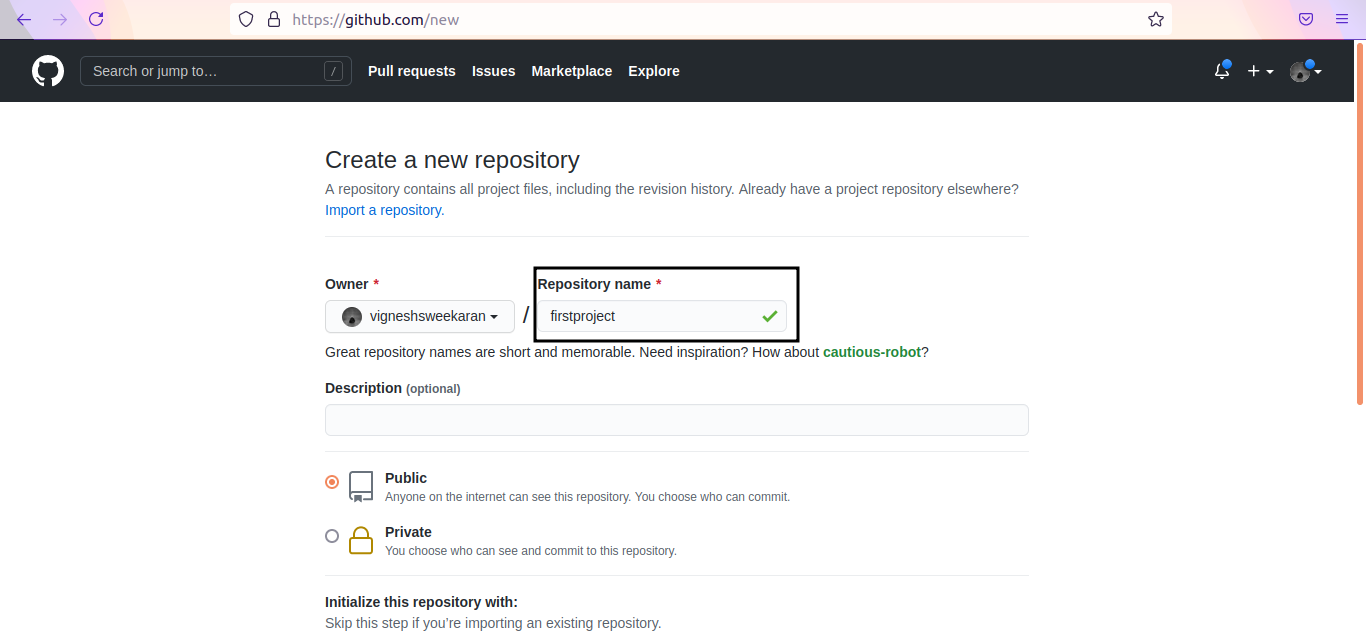
- Enter a unique Repository name (e.g.,
firstproject). - Select Public.
- Public: Visible to anyone. Anyone can clone it.
- Private: Visible only to you and collaborators.
3. Initialize
Check Add a README file. A README file describes your project and is the first thing visitors see.
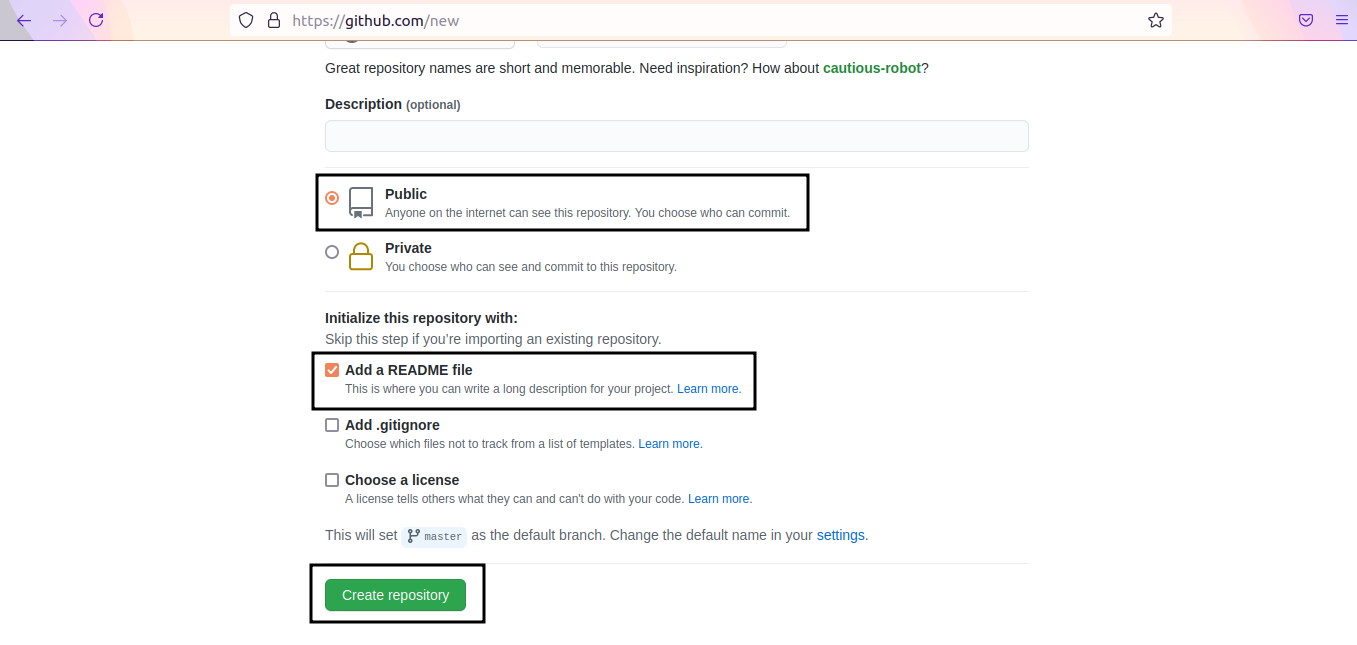
4. Create
Click Create repository.
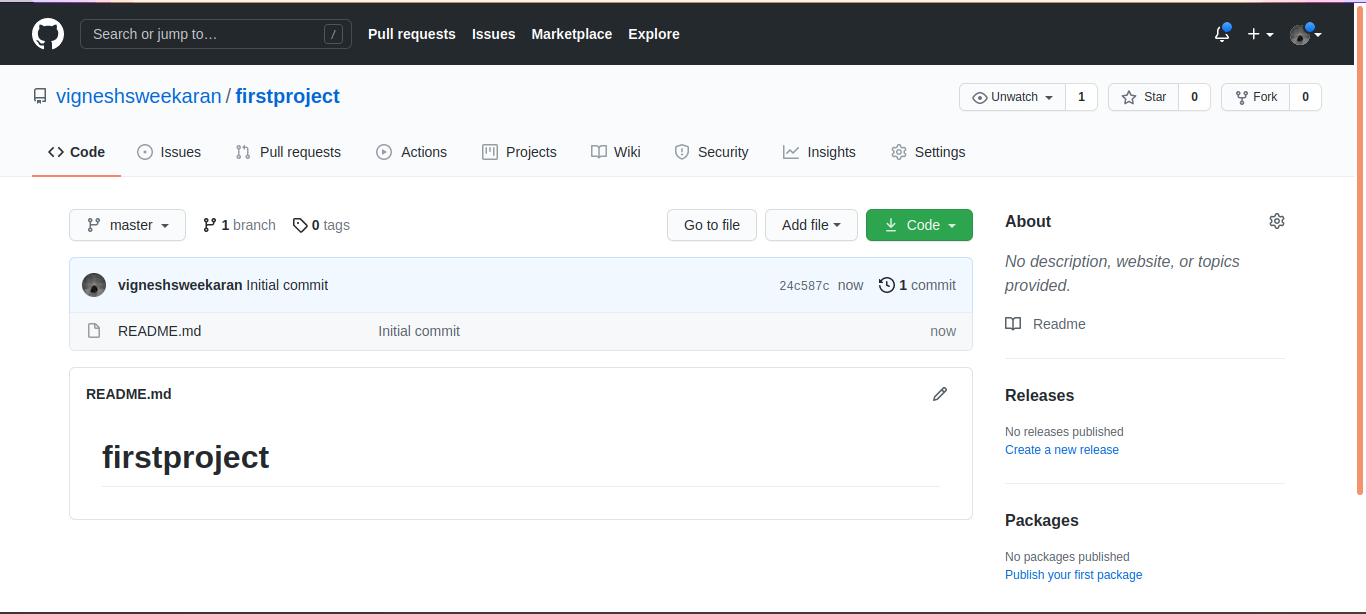
Your repository is now live! The README.md file will be displayed on the home page.
🎥 Watch on YouTube:

🧠 Quick Quiz — Public Repos
#
Which file is commonly used to describe your project on the repository home page?
📝 Want More Practice?
👉 Start Git Intermediate Quiz (20 Questions)
📬 DevopsPilot Weekly — Learn DevOps, Cloud & Gen AI the simple way.
👉 Subscribe here