How to Create a Private Repository
🔒 Create a Private Repository
A private repository is only visible to you and people you explicitly invite.
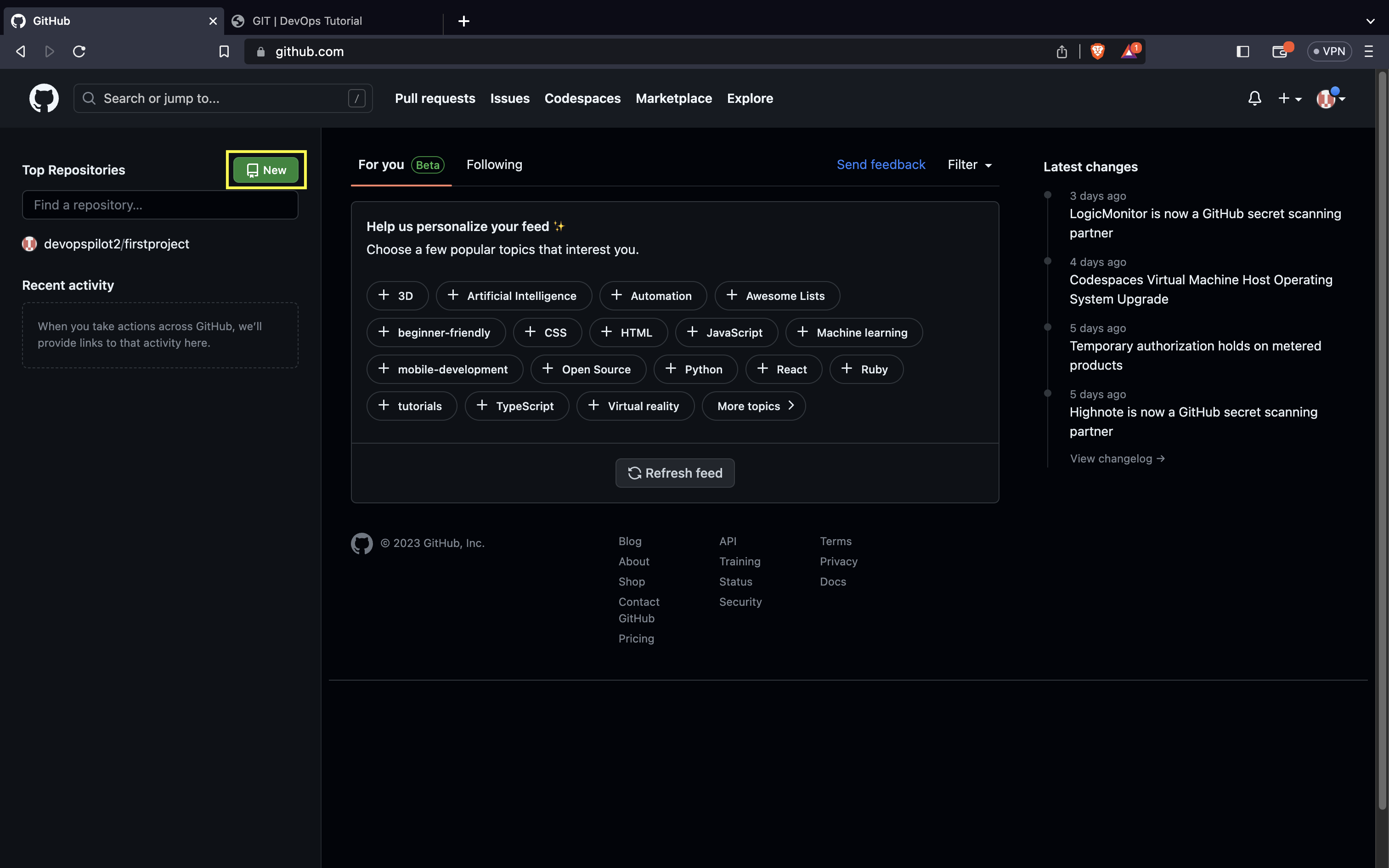
1. Start New Repository
Click on the New button on your repository list or dashboard.
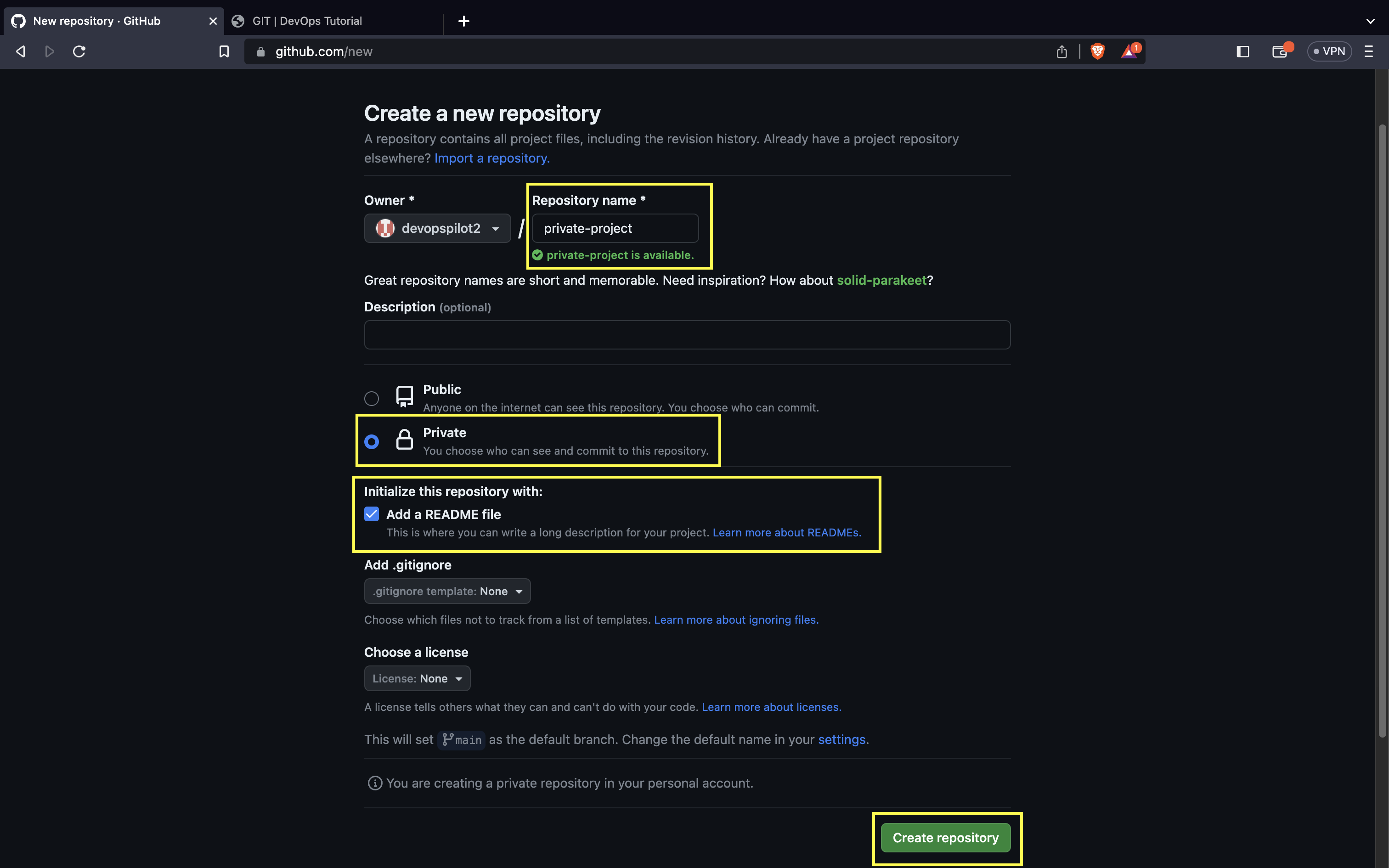
2. Configure Settings
- Enter a Repository name.
- Select Private (this creates a private repo).
- Check Add a README file (recommended to initialize the repo).
- Click Create repository.
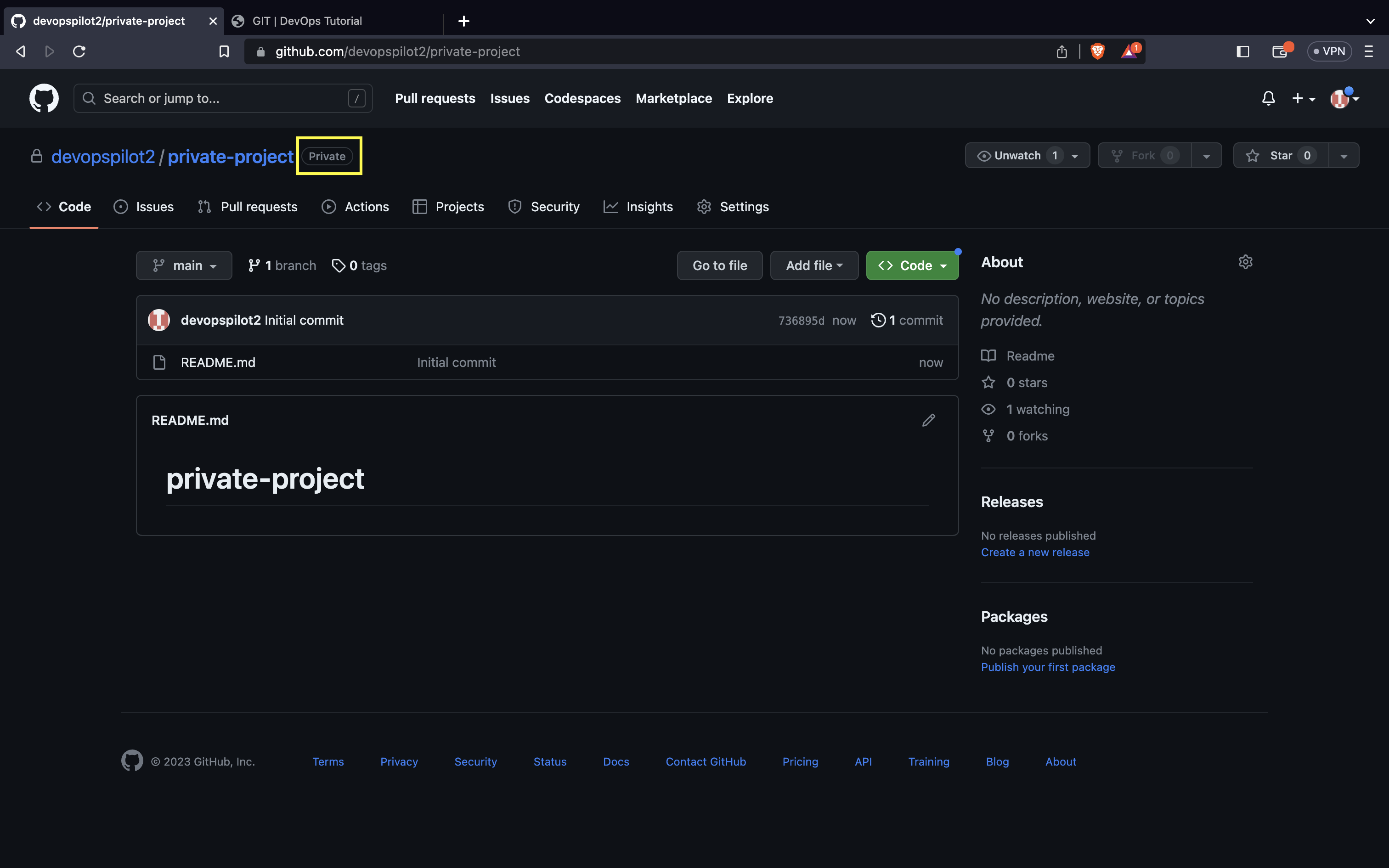
The repository will be marked with a Private badge next to its name.
🔑 Authentication
Since the repository is private, you need to authenticate to clone or push to it. There are two common methods:
- Personal Access Token (PAT) (Recommended for HTTPS)
- SSH Keys
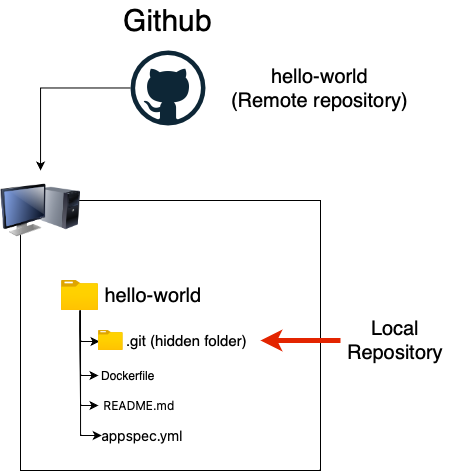
Remote vs Local
Understanding the connection:
🎥 Watch on YouTube:

🧠 Quick Quiz — Private Repos
#
Who can view a Private repository on GitHub?
📝 Want More Practice?
👉 Start Git Intermediate Quiz (20 Questions)
📬 DevopsPilot Weekly — Learn DevOps, Cloud & Gen AI the simple way.
👉 Subscribe here