How to Clone a Repository
📥 How to Clone a Repository
Cloning creates a local copy of a remote repository on your machine.
1. Get the URL
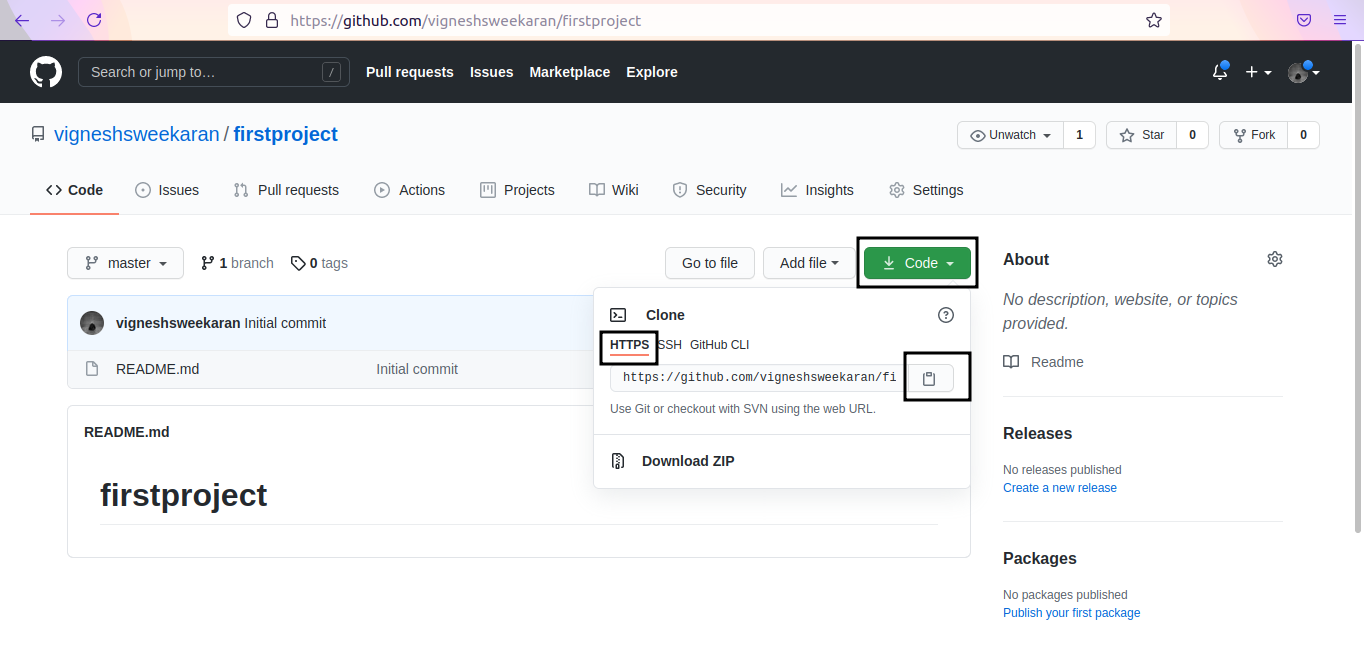
Go to your repository on GitHub. Click on Code -> Select HTTPS -> Copy the URL.
2. Run Git Clone
Open your terminal and use the git clone command followed by the URL:
git clone https://github.com/vigneshsweekaran/firstproject.git
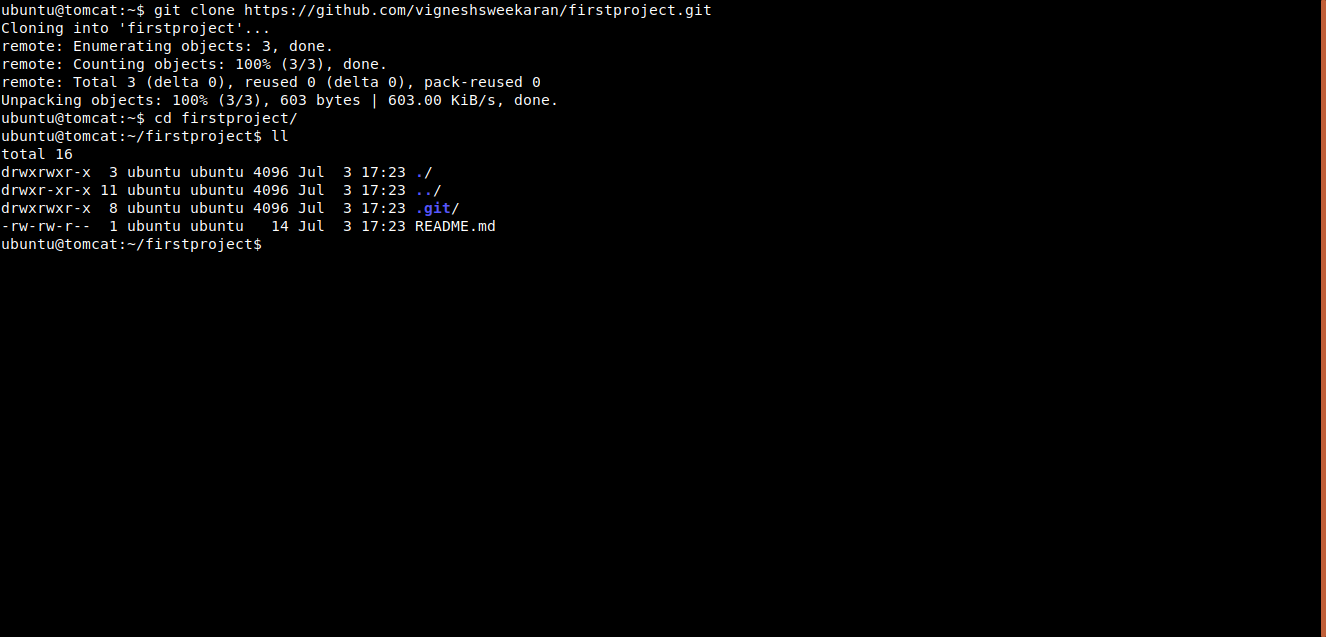
You have now successfully cloned the repository to your local computer.
🎥 Watch on YouTube:

🧠 Quick Quiz — Cloning
#
What does git clone do?
📝 Want More Practice?
👉 Start Git Intermediate Quiz (20 Questions)
📬 DevopsPilot Weekly — Learn DevOps, Cloud & Gen AI the simple way.
👉 Subscribe here