How to Create a GitHub Account
🤔 What is Git?
Git stands for Global Information Tracker.
It is a powerful distributed version control system used to track changes in source code during software development.
Git Architecture
The core model of Git involves Pull and Push operations:
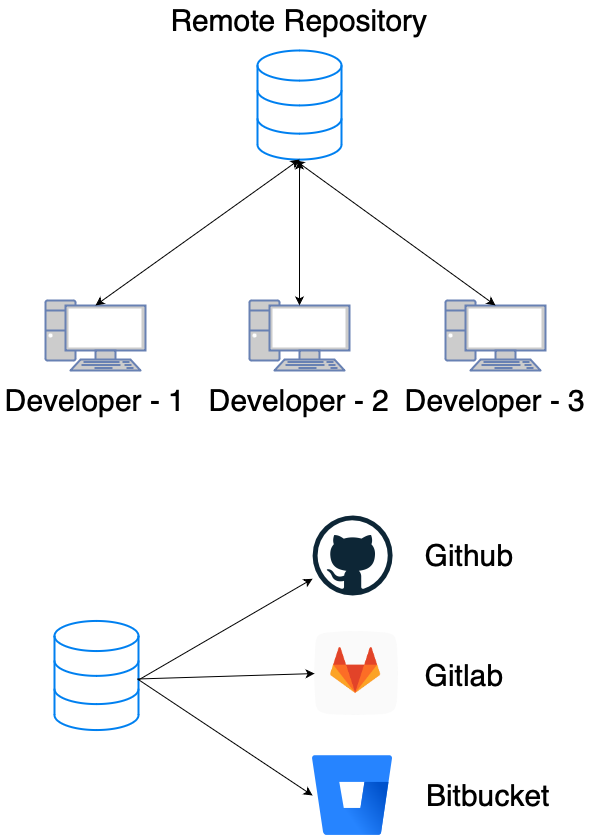
- Developer 1 creates
file-1locally and pushes it to the Remote Repository. - Developer 2 and Developer 3 can pull
file-1to their local machines. - If Developer 3 creates
file-3and pushes it, others can pull it too.
🐙 Git vs GitHub
| Feature | Git | GitHub |
|---|---|---|
| Type | Command-line Tool | Cloud Platform |
| Purpose | Version Control System (VCS) | Hosting Service for Git Repositories |
| Installation | Installed locally on your computer | Accessed via web browser (github.com) |
📝 Create a GitHub Account
Follow these steps to create your free GitHub account.
1. Go to GitHub
Visit https://github.com.
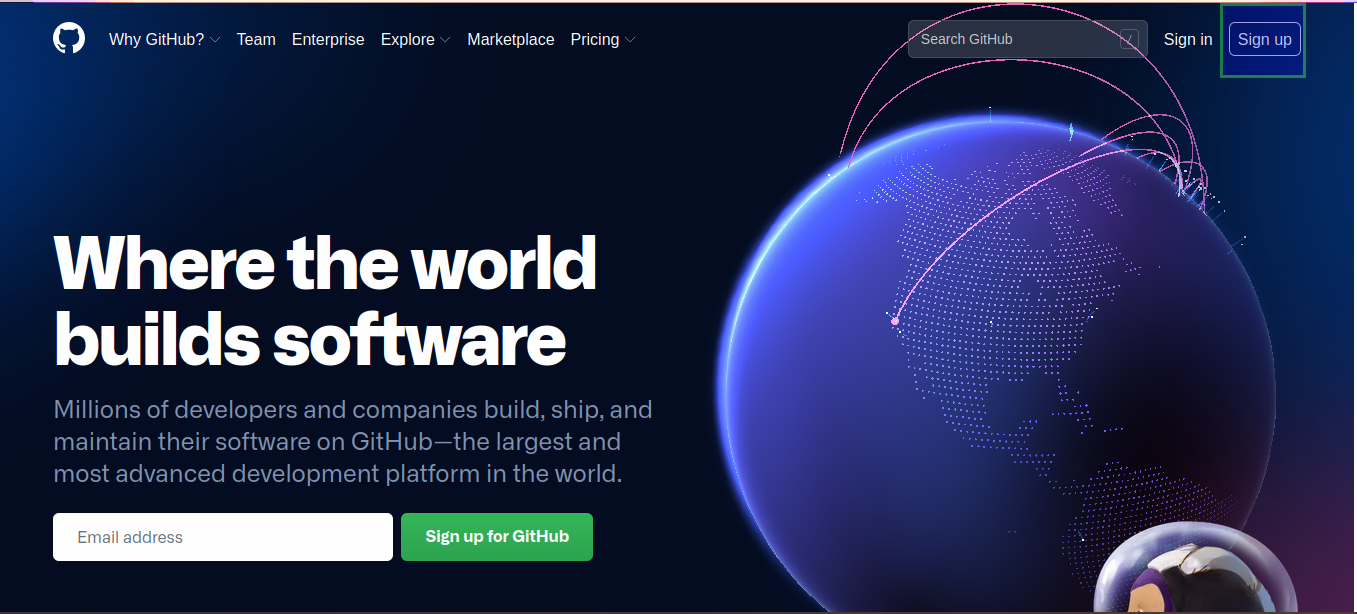
2. Sign Up
Click on Sign up at the top right corner.
3. Enter Details
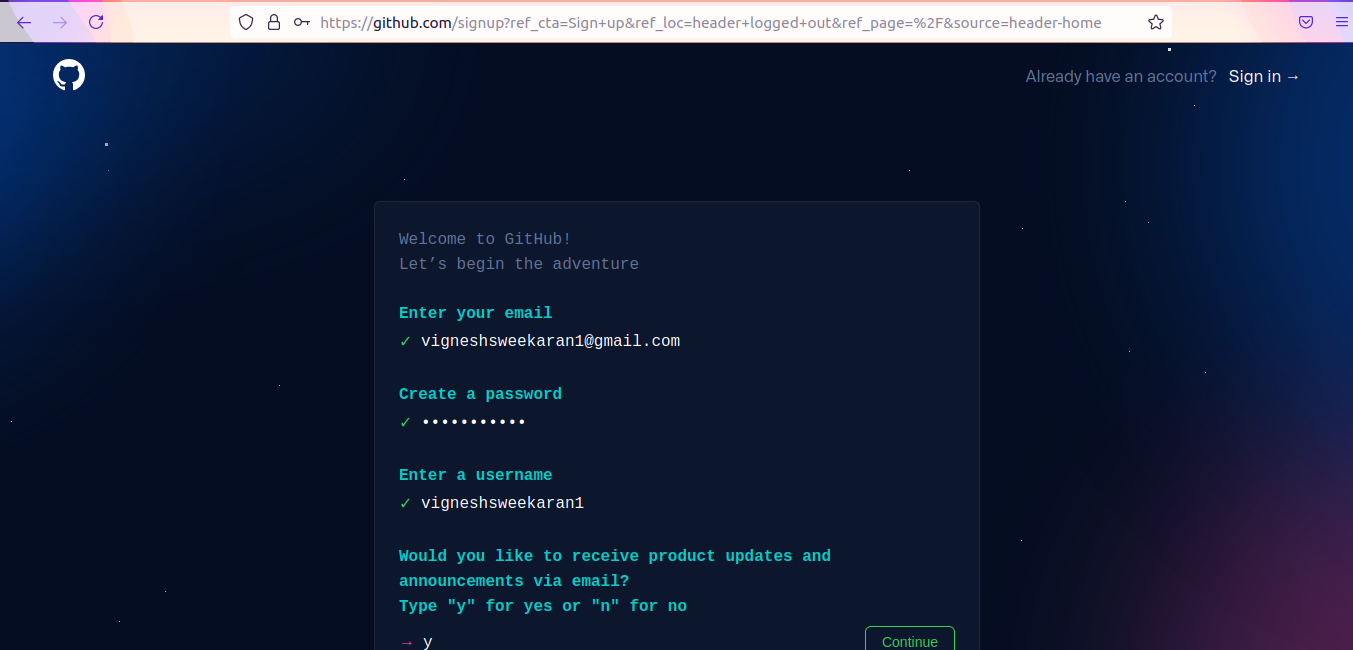
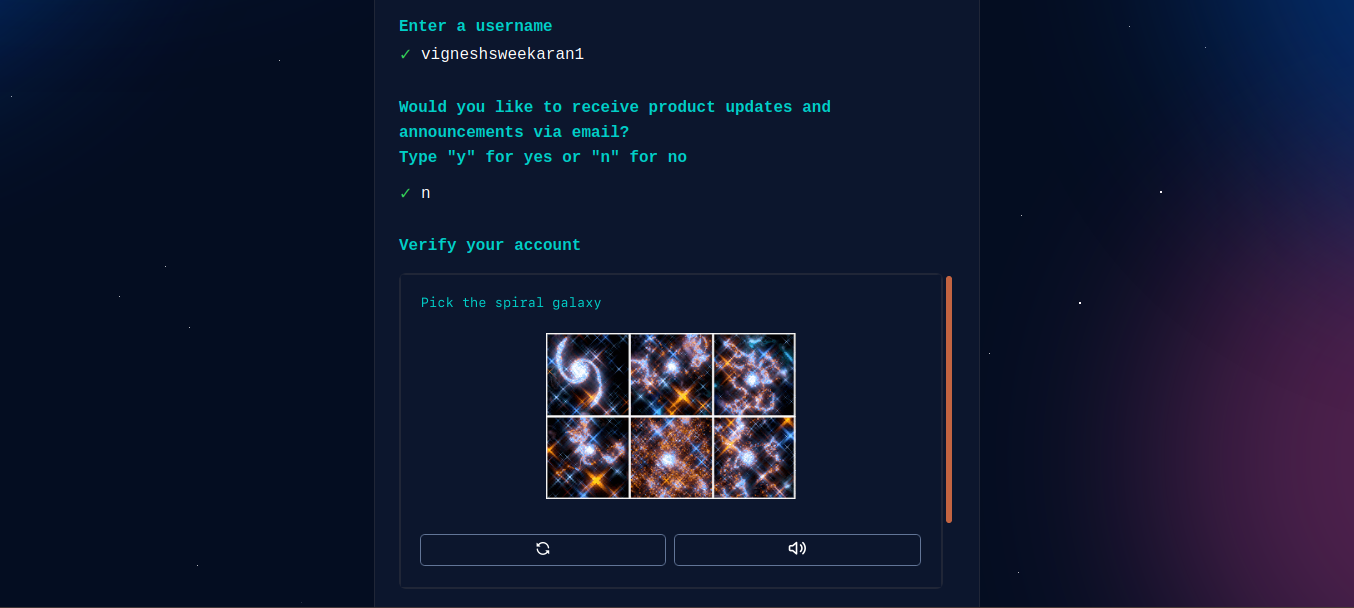
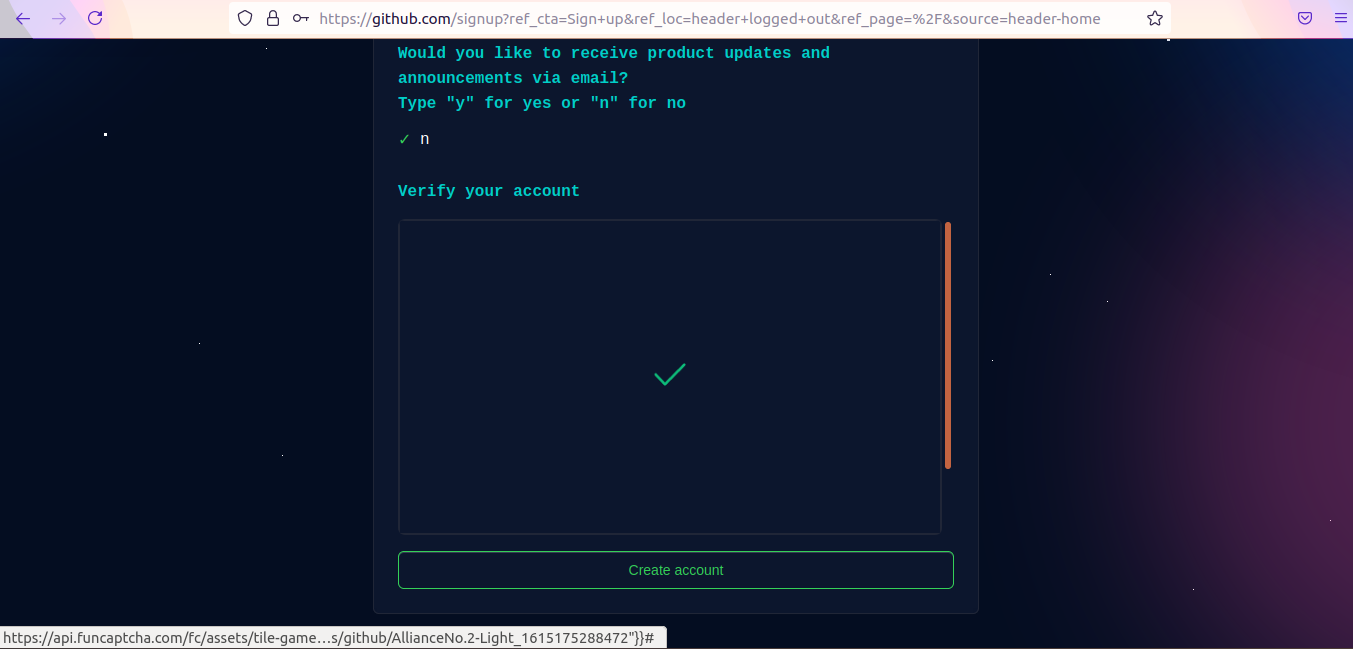
Enter your email address, create a password, and choose a username. Verify the puzzle to prove you are human.
4. Verify Email
Click on Create account. You will receive a verification code or link in your email inbox. Enter it to complete the process.
🎉 Congratulations! You now have a GitHub account.
🎥 Watch on YouTube:

🧠 Quick Quiz — GitHub
What is the main difference between Git and GitHub?
📝 Want More Practice?
👉 Test your knowledge - Take the Git Basics Quiz
📬 DevopsPilot Weekly — Learn DevOps, Cloud & Gen AI the simple way.
👉 Subscribe here