How to Fix Merge Conflicts
⚔️ How to Fix Merge Conflicts
A Merge Conflict occurs when Git cannot automatically determine how to combine changes from two branches (e.g., when the same line in a file is modified differently).
1. Setup Conflict Scenario
Create a repository mergeconflict.
Clone it:
git clone https://github.com/vigneshsweekaran/mergeconflict.git
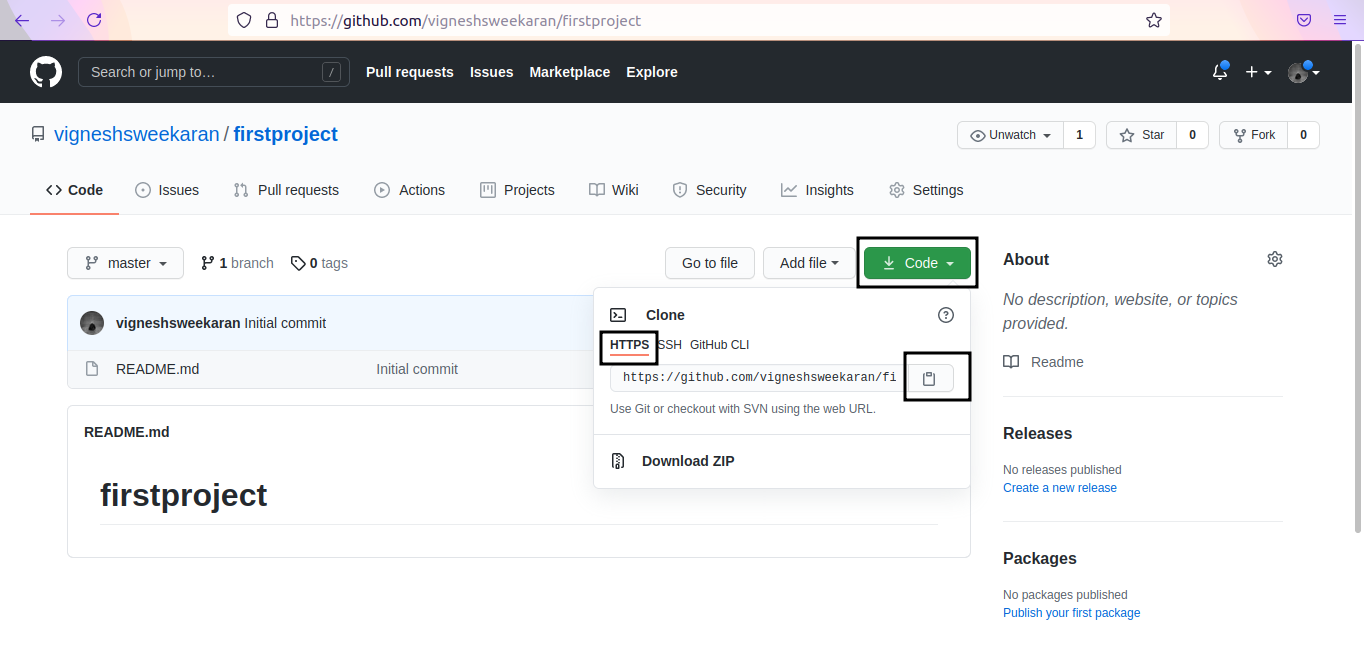
Create cat.txt with initial content:
1. In terms of development, the first year of a cat’s life is equal to the first 15 years of a human life. After its second year, a cat is 25 in human years. And after that, each year of a cat’s life is equal to about 7 human years.
2. Cats can rotate their ears 180 degrees.
3. The hearing of the average cat is at least five times keener than that of a human adult.
4. In the largest cat breed, the average male weighs approximately 20 pounds.
5. Domestic cats spend about 70 percent of the day sleeping. And 15 percent of the day grooming.
Commit and push to GitHub.
2. Create Changes (Local & Remote)
Local Change: Change line 2 angle from 180 to 150. Commit locally.

Remote Change: On GitHub, change line 2 angle from 180 to 200. Commit on GitHub.


3. Trigger Conflict
Check local history:
git log

Pull remote changes:
git pull origin master

Conflict! Git failed to auto-merge because both sides changed line 2.
4. Resolve Conflict
Open cat.txt. You will see conflict markers:

Decide which change to keep (e.g., 200). Remove markers <<<<<<<, =======, >>>>>>>.

5. Finalize Merge
Add and commit the resolution:
git add cat.txt
git commit

Check logs to see the merge commit:

Push to GitHub:
git push origin master
🧠 Quick Quiz — Conflicts
What do the <<<<<<< HEAD markers indicate in a file?
📝 Want More Practice?
👉 Start Git Advanced Quiz (20 Questions)
📬 DevopsPilot Weekly — Learn DevOps, Cloud & Gen AI the simple way.
👉 Subscribe here