How to write a dockerfile for running a java application (*.war) in Apache tomcat webserver
I have a sample hello-world maven project in github hello-world
Maven is a build tool used to compile, test and package the application developed using Java programming language.
Run the mvn clean package command to compile and package the java application.
The hello-world.war file will be created in targets folder
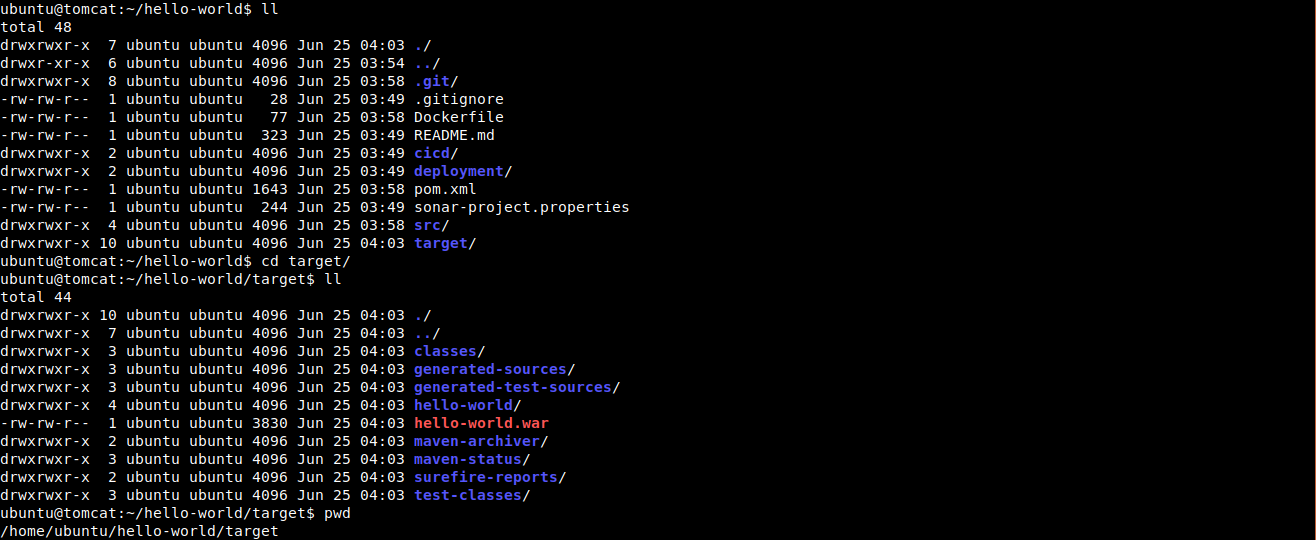
I have already created a file Dockerfile and kept in root folder
From tomcat:8-jre8

COPY ./target/hello-world.war /usr/local/tomcat/webapps
In the FROM command we are taking tomcat:8-jre8 as a base image.
On top of that we are copying the hello-world.war file from target folder and keeping it in /usr/local/tomcat/webapps inside a container.
we no need to explicity define the CMD here, because CMD is already written in base docker image tomcat:8-jre8 to start the tomcat webserver.
Important Tips
Tip
War File Placement: Tomcat automatically deploys any .war file placed in the webapps directory. If you rename your file to ROOT.war, it will be deployed as the root application (accessible at http://localhost:8080/ instead of http://localhost:8080/app-name).
Note
Base Image: Using a specific version tag (e.g., tomcat:9.0-jdk11) is recommended over latest to ensure your build is reproducible and stable.
🧠 Quick Quiz — Tomcat in Docker
Where should you copy your .war file inside the official Tomcat container for it to be auto-deployed?
Why don't we need a CMD instruction in this Dockerfile?
If you want your app to be available at http://localhost:8080/myapp, what should your war file be named?
📬 DevopsPilot Weekly — Learn DevOps, Cloud & Gen AI the simple way.
👉 Subscribe here