Replay Pipeline
Replay Jenkins Pipeline option is very useful for quickly making minor changes in the Jenkinsfile and running the Pipeline without committing the changes in the Jenkinsfile to the GitHub Repository
Create Jenkins Pipeline
Create a Jenkinsfile named 09-Jenkinsfile-replay inside the cicd folder
pipeline {
  agent any
  tools {
    maven 'maven-3.6.3'
  }
  stages {
    stage ('Build') {
      steps {
        sh 'mvn clean package'
      }
    }
  }
}
In this Jenkinsfile, you use the maven-3.6.3 configured tool to build the Java Project. This pipeline will successfully pass.
Reference: How to configure maven 3.6.3 in Jenkins Tools
If you do not have a sample Java code, follow these steps to create one
How to create a GitHub repository and push a sample Java 21 Maven Project
Push the 09-Jenkinsfile-replay file to the GitHub repository
Create a Jenkins Pipeline named 09-hello-world-replay referring to your GitHub repository and enter Script Path as cicd/09-Jenkinsfile-replay
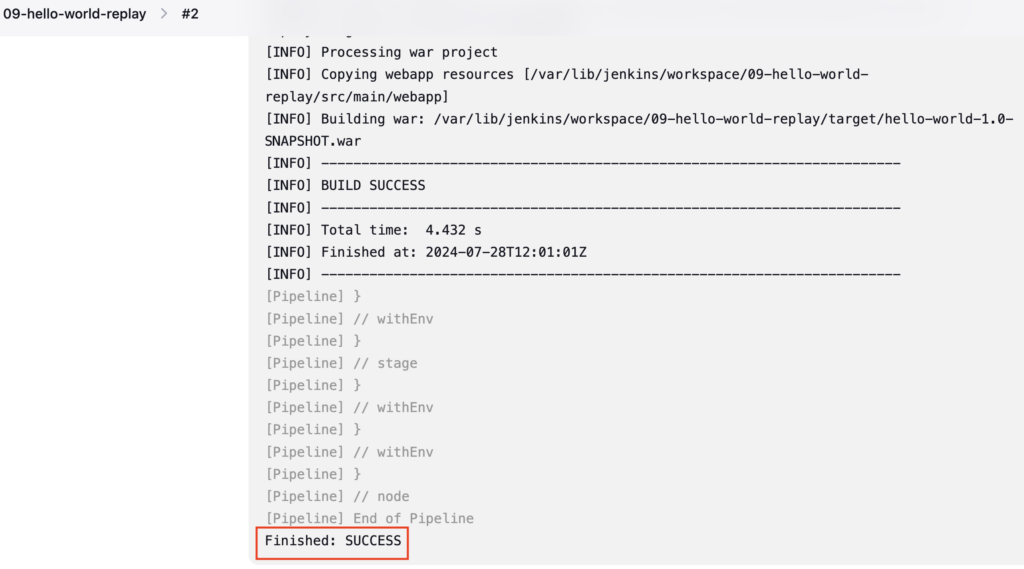
Build the Pipeline
Create Failure in Jenkins Pipeline
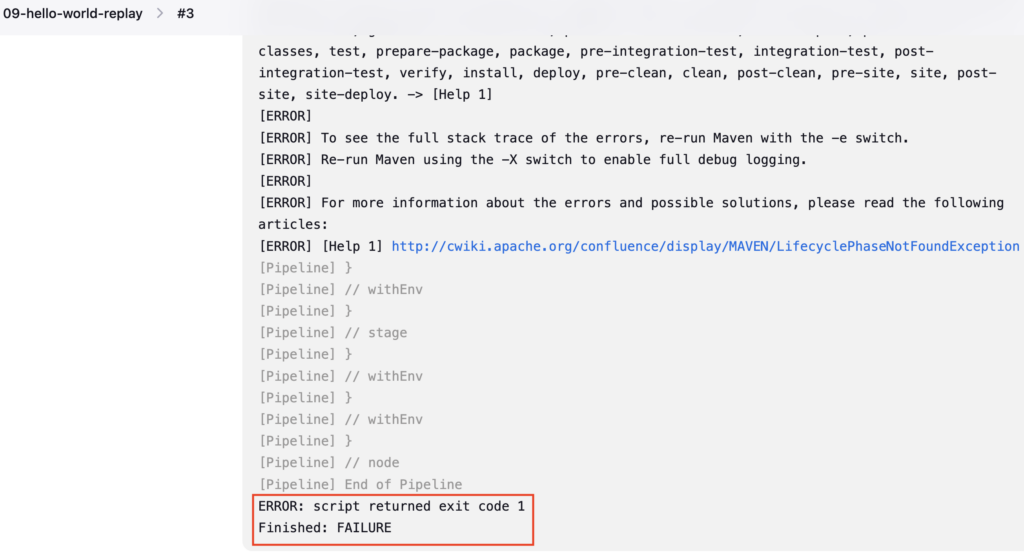
Let's assume, you made a typo in the mvn clean package command, you mistakenly typed packagee instead of a package
Let's push the typo changes to the GitHub repository
Run the git diff command to see the changes
git diff
OUTPUT:
vignesh ~/code/devopspilot1/hello-world-java/cicd [main] $ git diff
diff --git a/cicd/09-Jenkinsfile-replay b/cicd/09-Jenkinsfile-replay
index 0e3fd6f..687d486 100644
--- a/cicd/09-Jenkinsfile-replay
+++ b/cicd/09-Jenkinsfile-replay
@@ -6,7 +6,7 @@ pipeline {
   stages {
     stage ('Build') {
       steps {
- sh 'mvn clean package'
+        sh 'mvn clean packagee'
       }
     }
   }
Push the 09-Jenkinsfile-replay file to the GitHub repository
Build the Pipeline, it should fail
Fix the failure using the Replay option
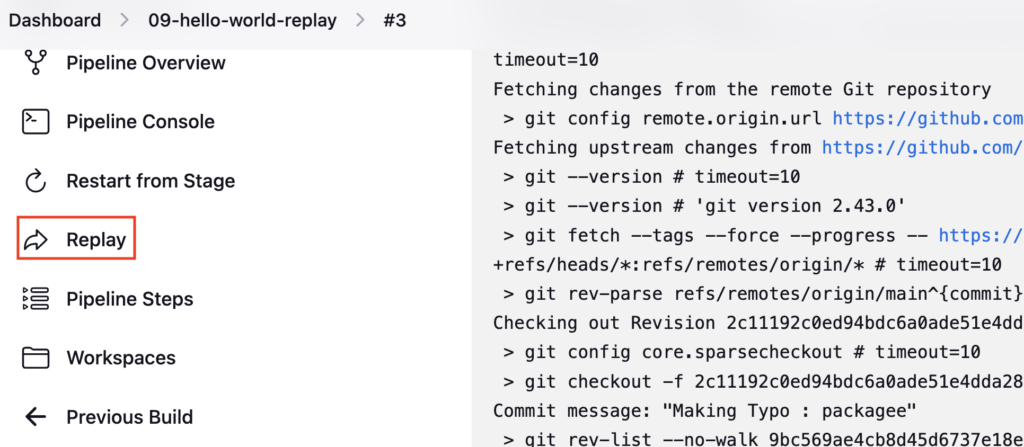
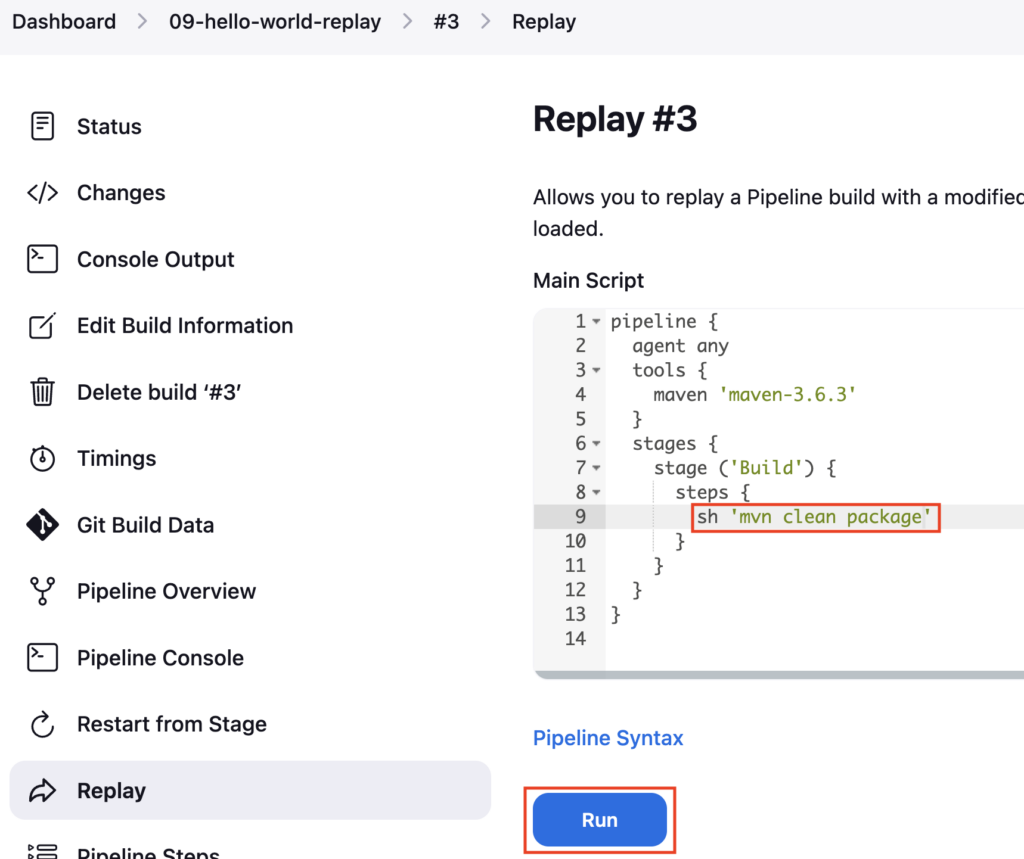
Go inside the Failed pipeline and click on the Replay option
You can see the Jenkinsfile in Jenkins GUI
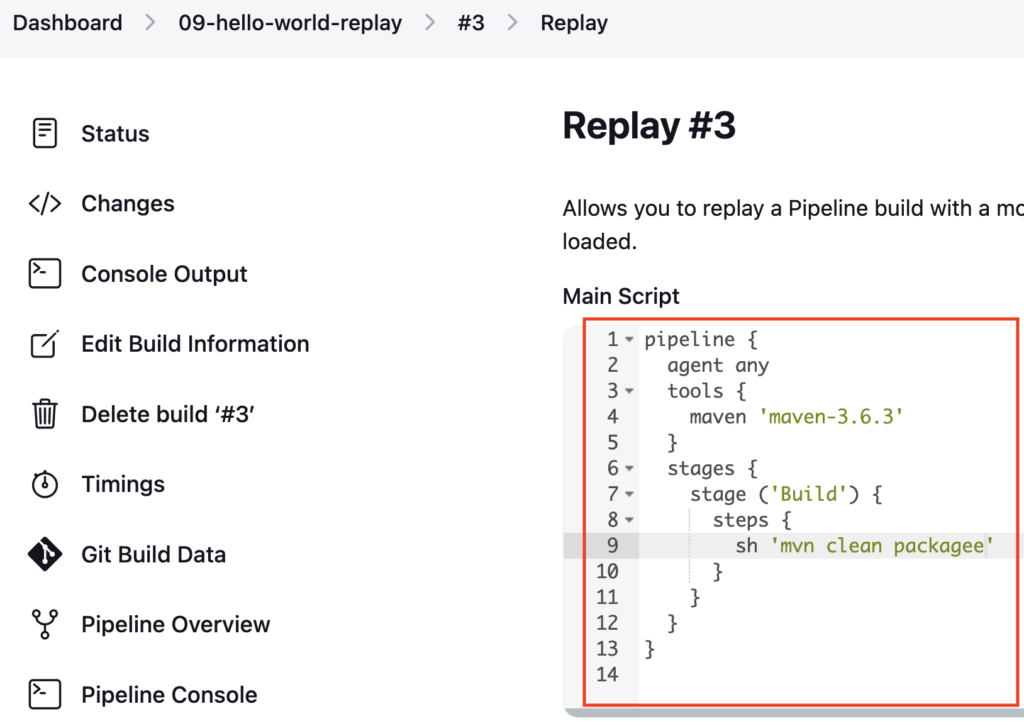
Correct the spelling mvn clean package and click on Build
The build is a success now, but the fix is done temporarily.
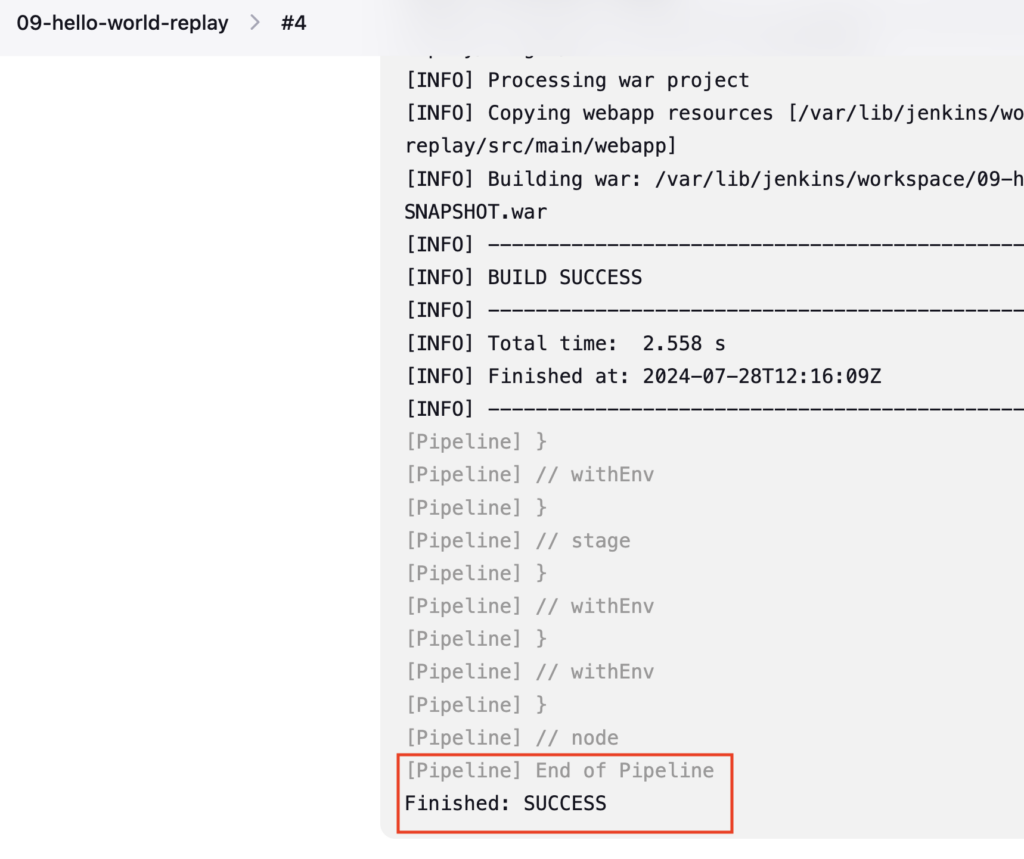
You need to again correct the spelling in Jenkinsfile and push it to the GitHub Repository to make the fix permanent
git diff
OUTPUT:
vignesh ~/code/devopspilot1/hello-world-java/cicd [main] $ git diff
diff --git a/cicd/09-Jenkinsfile-replay b/cicd/09-Jenkinsfile-replay
index 687d486..0e3fd6f 100644
--- a/cicd/09-Jenkinsfile-replay
+++ b/cicd/09-Jenkinsfile-replay
@@ -6,7 +6,7 @@ pipeline {
   stages {
     stage ('Build') {
       steps {
- sh 'mvn clean packagee'
+        sh 'mvn clean package'
       }
     }
   }
Push the 09-Jenkinsfile-replay file to the GitHub repository
Like this, you can debug and fix many issues in real-time.
Reference:
Important Tips
Tip
Availability: Replay is only available for pipelines that have already run at least once (even if they failed). You cannot "Replay" a pipeline that has never run.
Note
Audit Trail: Replayed builds are marked in the build history. However, the changes you make in Replay are ephemeral and NOT saved to your Git repository. Always commit your fixes to Git after verifying them.
🧠 Quick Quiz — Replay
What is the primary advantage of the Replay feature in Jenkins Pipelines?