Maven with Private Repo
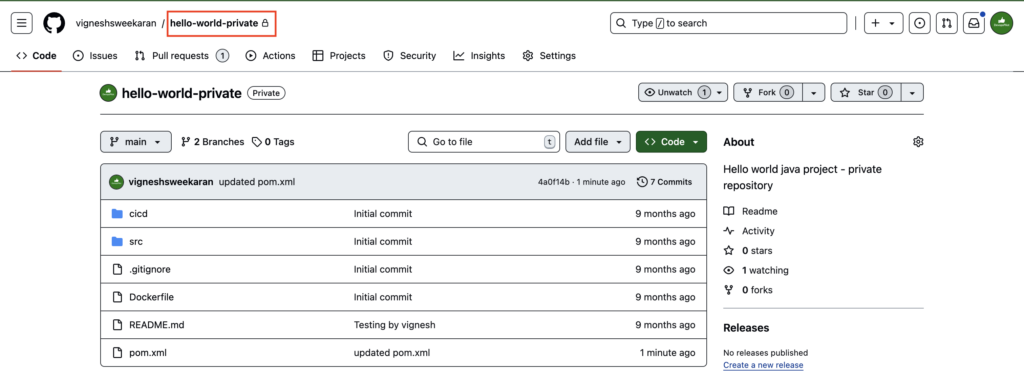
Create a Private Github Repository
Store the GitHub Token in Jenkins Credentials
How to store a Github Token in Jenkins Credentials
Create Maven Project
Goto Jenkins dashboard, click on New Item
Enter the Maven project name hello-world-maven-project-private, select Maven project, and then click OK

Select Source Code Management -> Git
Enter your Private GitHub repository https URL
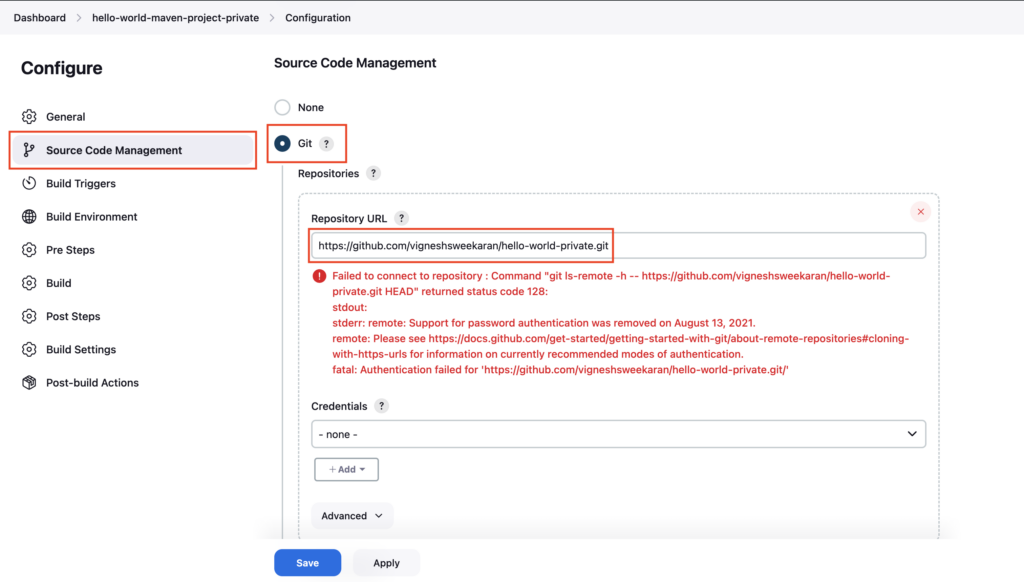
If you are not selecting the credentials, you will see the above error
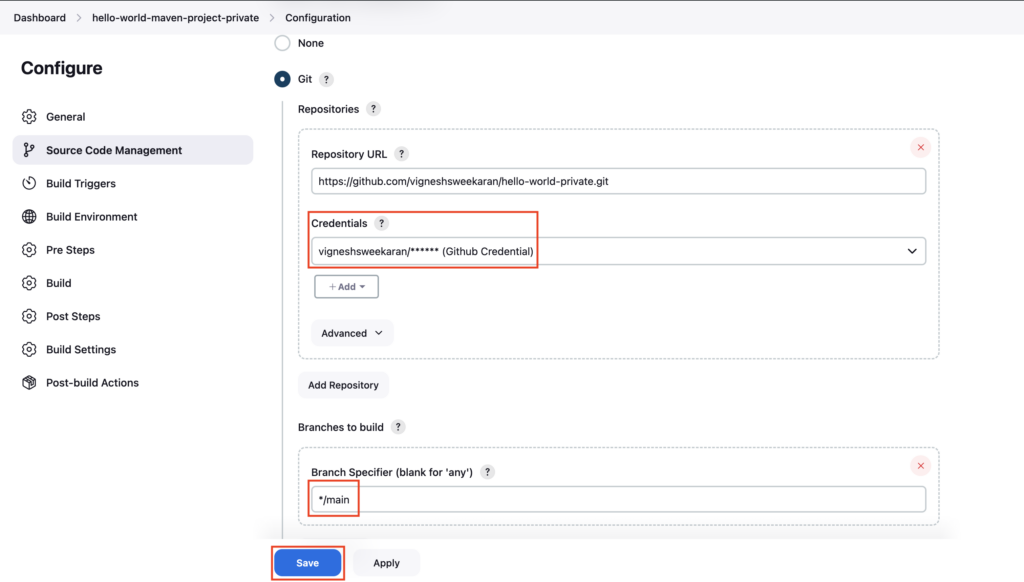
Select the created credential github-credential under Credentials section
Enter the GitHub branch name main under Branch Specifier and then click Save
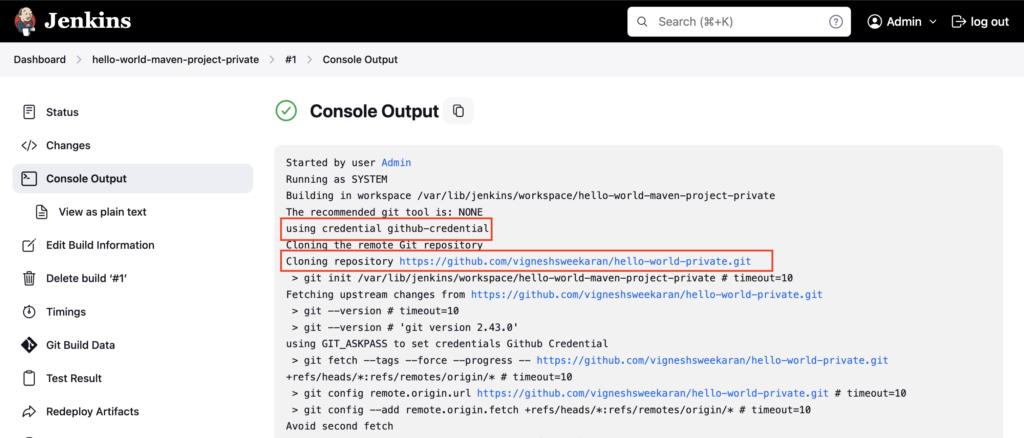
Build the Maven project and check the logs in Console Output, you can see the credential github-credential is used to clone the Private Github repository
Important Tips
Tip
SSH vs HTTPS: While this tutorial uses HTTPS with a Personal Access Token (PAT), using SSH keys (git@github.com...) is often preferred in production environments as it avoids managing token expiration.
Note
Credential Scope: Ensure your credentials have "Global" scope (or specific folder scope) so they are visible to your Jenkins project.
🧠 Quick Quiz — Private Repos
Why might a build fail with an authentication error when cloning a Git repository?