Jenkinsfile for Maven
Create a Jenkinsfile named 02-Jenkinsfile-maven-build inside cicd folder
pipeline {
  agent any
  stages {
    stage ('Build') {
      steps {
        sh 'mvn clean package'
      }
    }
  }
}
If you do not have a sample Java code, follow these steps to create one
How to create a GitHub repository and push a sample Java 21 Maven Project
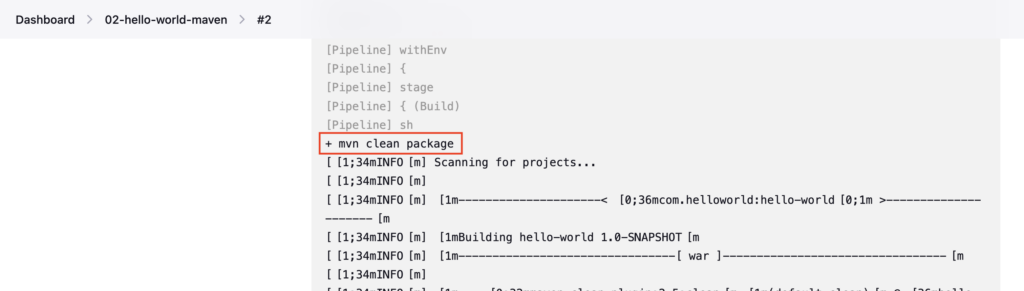
In this Jenkinsfile, you have a single stage named Build and you have a mvn clean package inside the sh step
Use the sh step to define any shell commands.
Push a 02-Jenkinsfile-maven-build file to the GitHub repository
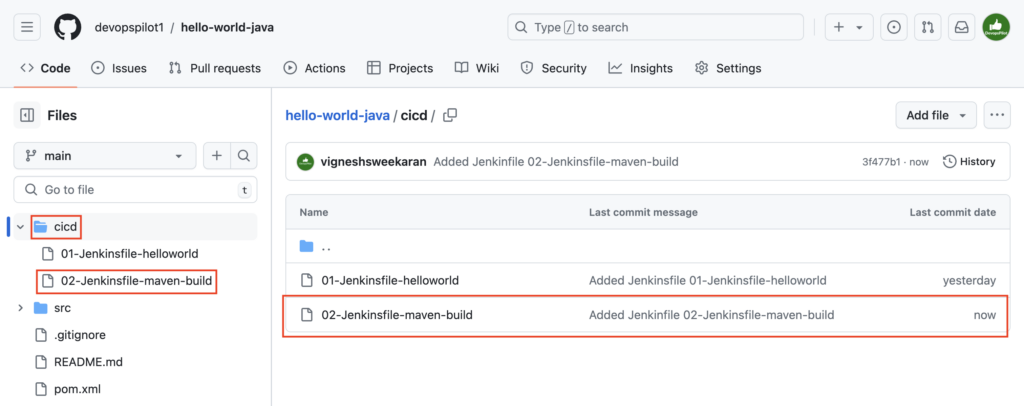
Create the Pipeline named 02-hello-world-maven referring to your GitHub repository and enter Script Path as cicd/02-Jenkinsfile-maven-build
To create a pipeline follow these steps Click here
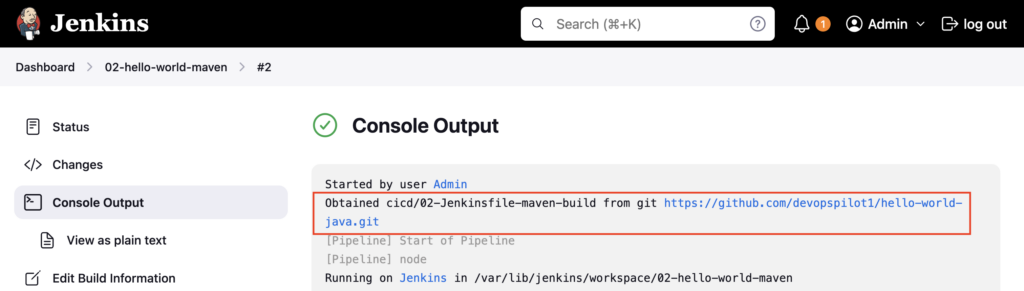
Build the pipeline and check the Console Output
First cicd/02-Jenkinsfile-maven-build is obtained from the GitHub repository
Then the mvn clean package command is executed
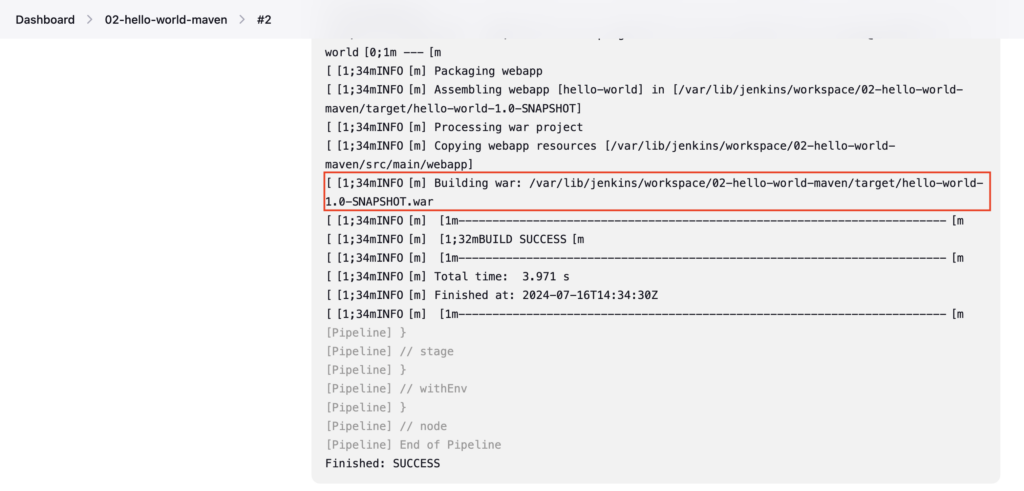
Finally, Jenkins creates a hello-world-1.0-SNAPSHOT.war file in the /var/lib/jenkins/workspace/02-hello-world-maven/target folder.
Important Tips
Tip
Workspace Cleanup: Jenkins does not automatically clean the workspace after a build. The target/ directory from a previous build might persist. Always use mvn clean to ensure a fresh build.
Note
Tool Availability: This example assumes mvn is in the PATH of the agent. In a real-world pipeline, you should use the tools block to explicitly define which Maven version to use.
🧠 Quick Quiz — Maven Build
Which Maven command is used in the Jenkinsfile to build the project in this tutorial?