GitHub Token Credentials
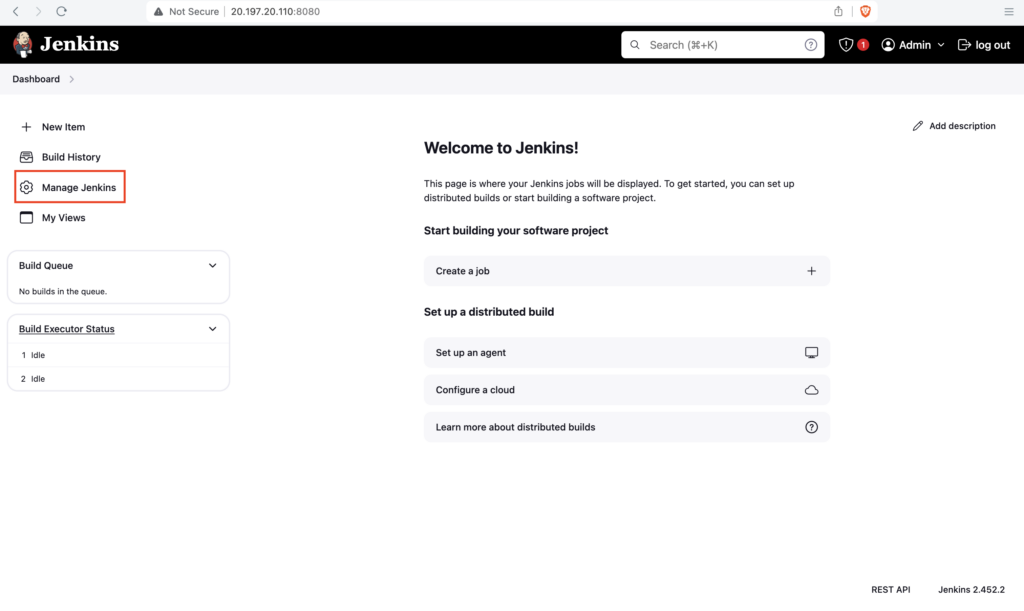
Goto Jenkins dashboard, click on Manage Jenkins
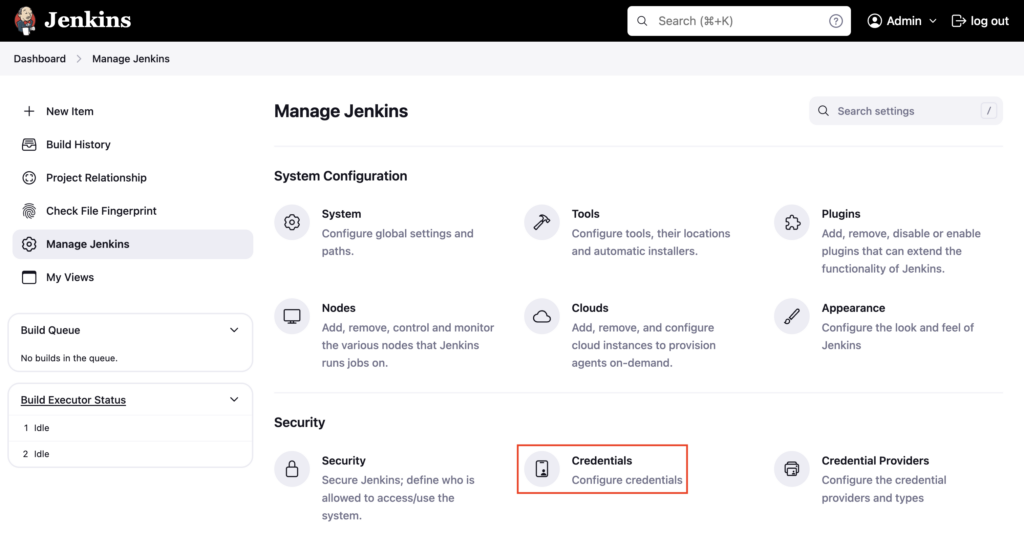
Click on Credentials
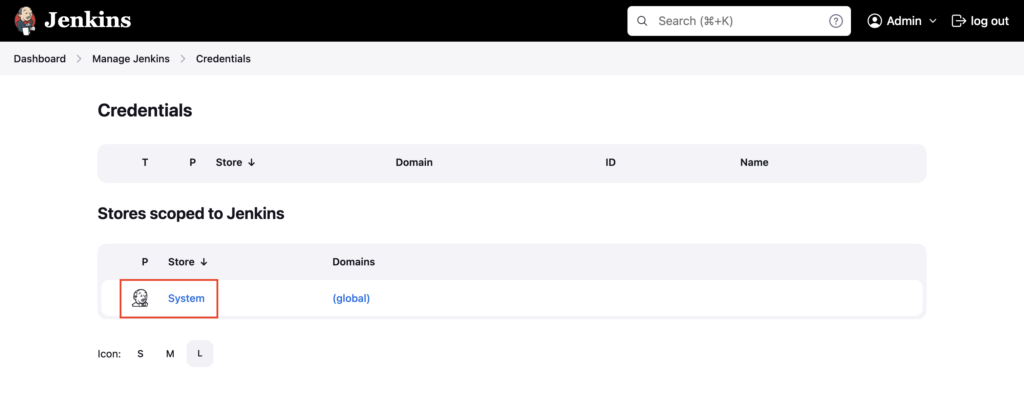
Click on System
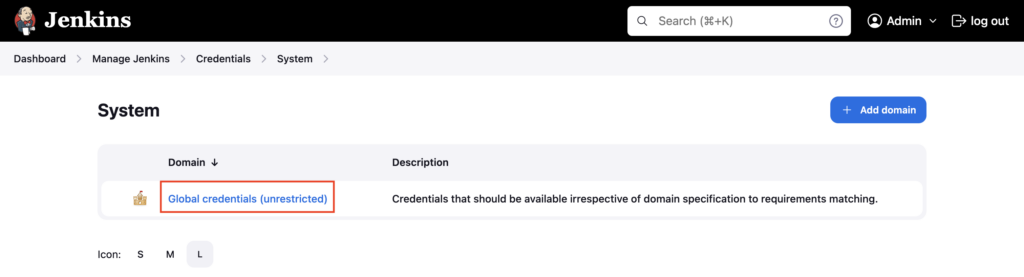
Click on Global credentials
Click on Add Credentials

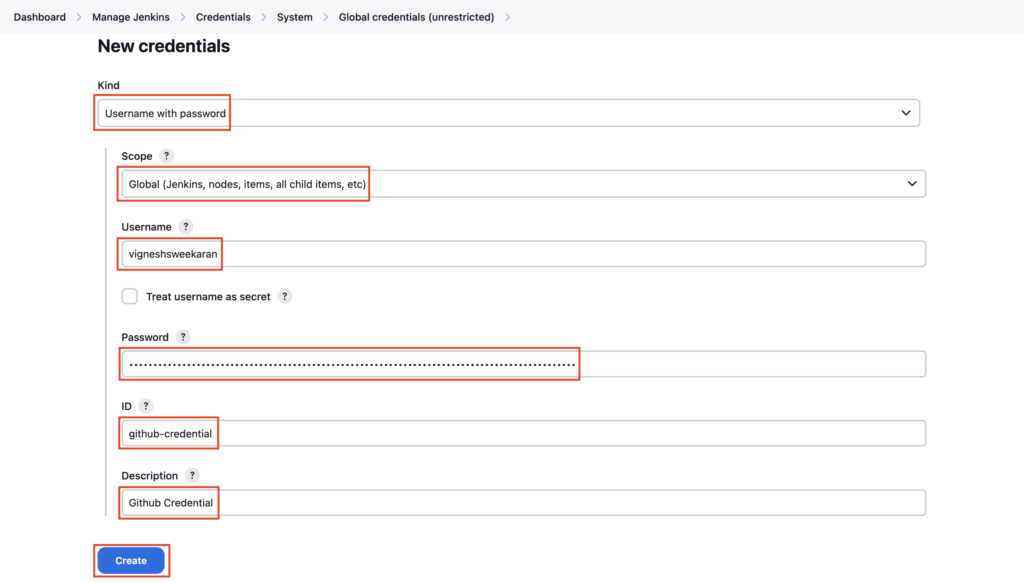
Under kind choose Username with password
With kind (Username with password ) you can store any credentials which have a username and password/token E.g. Github, DockerHub, Sonarqube, Jfrog Artifactory credentials
Select Scope as Global
Globally scoped credentials are accessible to any pipelines inside any folder in Jenkins
Enter the Username, and GitHub token in the Password section
Enter github-credential under ID and Github Credential under Description
Click on Create
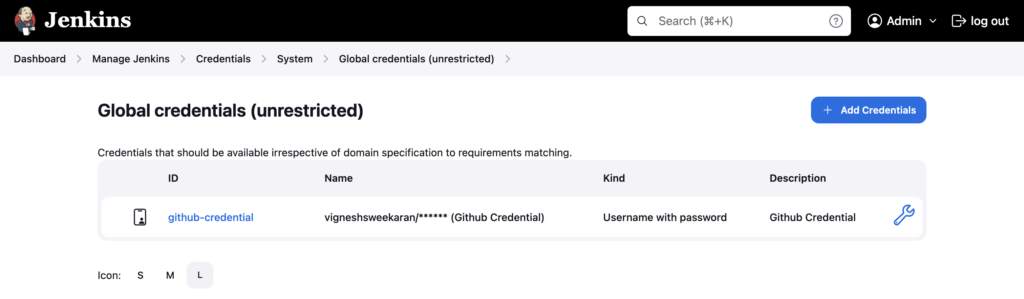
Credential is created and the GitHub token is safely stored for use in Jenkins pipelines
Important Tips
Tip
Least Privilege: When creating a Personal Access Token (PAT) in GitHub, select only the scopes necessary. For checking out code, repo scope is usually sufficient. Avoid giving full admin access.
Note
Credentials ID: Choose a meaningful ID (e.g., github-token-devopspilot) instead of the auto-generated UUID. This makes your Jenkinsfiles readable and easier to debug.
🧠 Quick Quiz — Credentials
Which "Kind" of credential should you use to store a GitHub Username and Personal Access Token?