Cron Trigger
In software development, integration tests are often executed on a nightly or weekly basis. Jenkins supports this requirement via Cron expressions, allowing you to schedule pipeline triggers at specific times directly from your Jenkinsfile.
You can define the CRON syntax like 0 18 * * * which will trigger the Jenkins Pipeline at 6 PM daily
Create Pipeline
Create a Jenkinsfile named 06-Jenkinsfile-maven-triggers-cron inside the cicd folder
pipeline {
  agent any
  tools {
    maven 'maven-3.6.3'
  }
  stages {
    stage ('Build') {
      steps {
        sh 'mvn clean package'
      }
    }
  }
}
If you do not have a sample Java code, follow these steps to create one
How to create a GitHub repository and push a sample Java 21 Maven Project
Push the *06-Jenkinsfile-maven-triggers-cron* file to the GitHub repository
Create a Jenkins Pipeline named 06-hello-world-trigger-cron referring to your GitHub repository and enter Script Path as cicd/06-Jenkinsfile-maven-triggers-cron
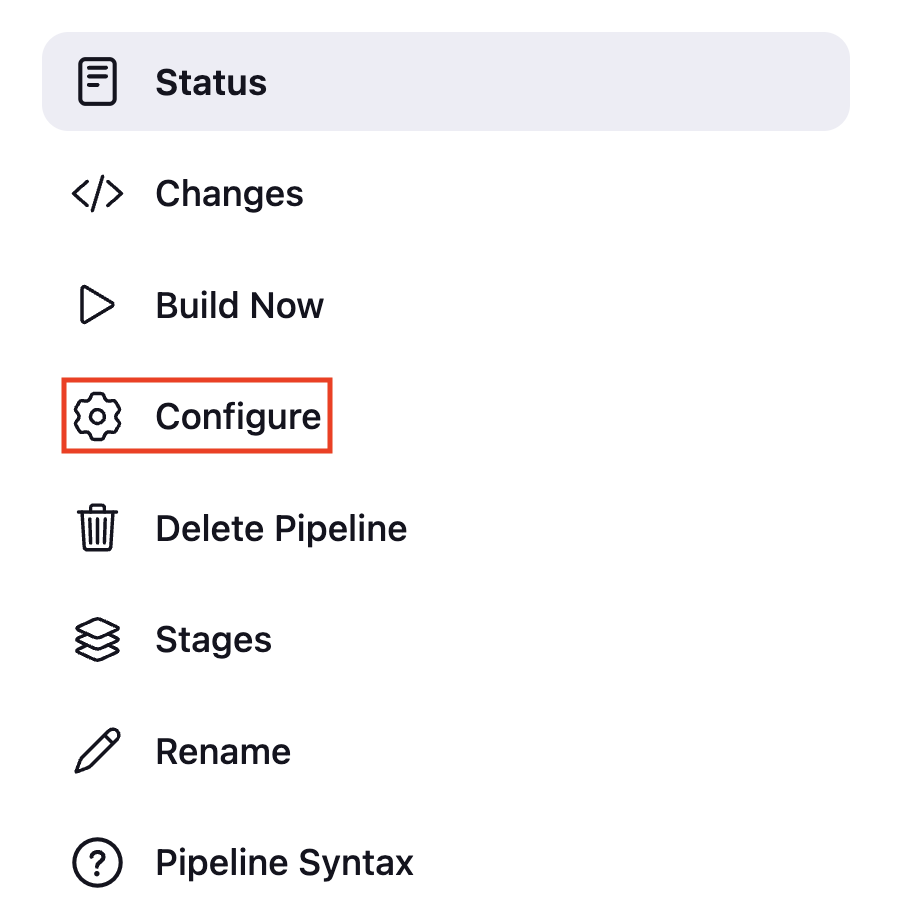
Click on Configure
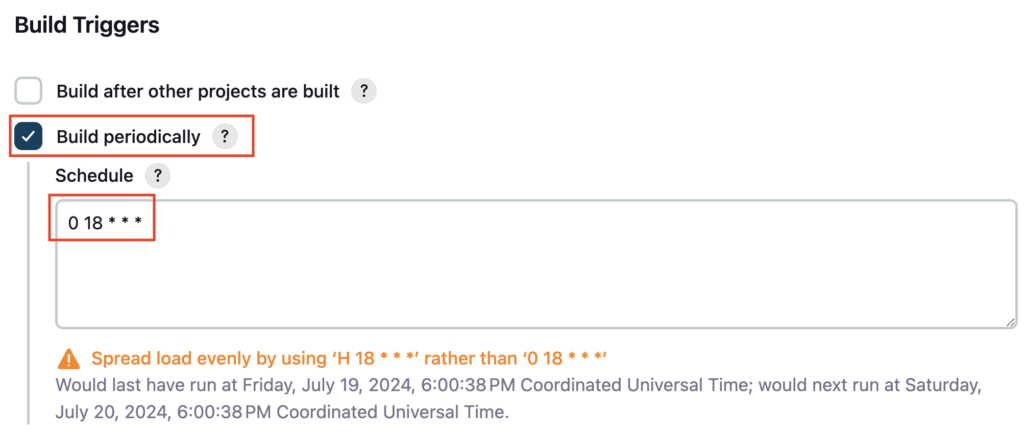
Under Build Triggers enable the Build periodically, under the Schedule section enter your required cron expression and click on Save
I have entered 55 12 * * * which will trigger the Jenkins pipeline at 12 55 PM daily
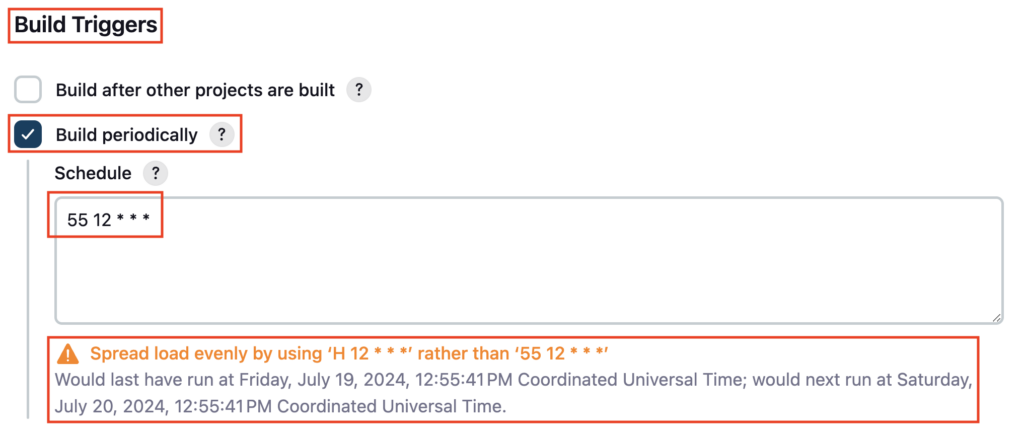
Wait for the scheduled time and the pipeline will be triggered automatically
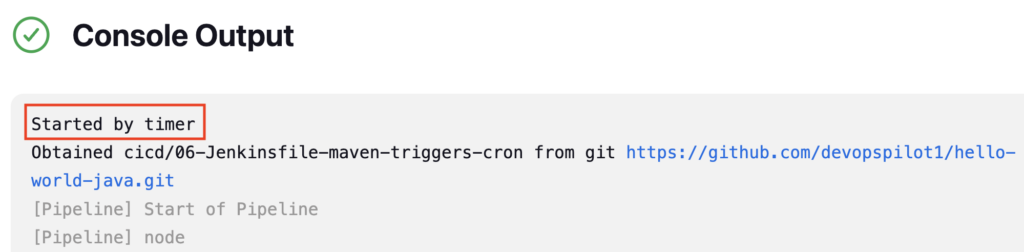
Check the Console output logs, it printed Started by timer
Enabling Cron from Jenkinsfile
Previously you have enabled the Build periodically from Jenkins Pipeline GUI. You can also enable the Build periodically option and trigger the Jenkins Pipeline using cron under the triggers block from Jenkinsfile
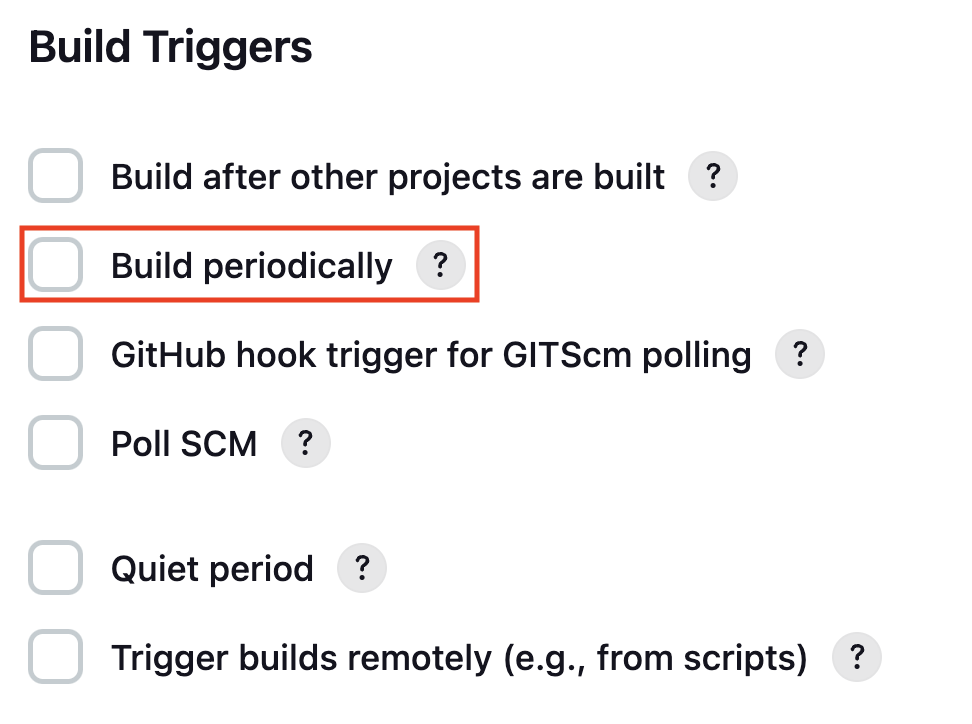
Uncheck the option Build periodically from Pipeline and click on Save
Let’s enable it from Jenkinfile
Add triggers block in Jenkinsfile 06-Jenkinsfile-maven-triggers-cron
cron '0 18 * * *' inside the triggers block will enable the Build periodically option and set the Schedule to 0 18 * * * , which will trigger the Jenkins Pipeline at 6 PM daily
pipeline {
  agent any
  triggers {
    cron '0 18 * * *'
  }
  tools {
    maven 'maven-3.6.3'
  }
  stages {
    stage ('Build') {
      steps {
        sh 'mvn clean package'
      }
    }
  }
}
Reference: Jenkins Triggers
Push the changes to your GitHub repository
git diff
vignesh ~/code/devopspilot1/hello-world-java/cicd [main] $ git diff
diff --git a/cicd/06-Jenkinsfile-maven-triggers-cron b/cicd/06-Jenkinsfile-maven-triggers-cron
index 0e3fd6f..24c5856 100644
--- a/cicd/06-Jenkinsfile-maven-triggers-cron
+++ b/cicd/06-Jenkinsfile-maven-triggers-cron
@@ -1,5 +1,8 @@
 pipeline {
   agent any
+  triggers {
+    cron '0 18 * * *'
+  }
   tools {
     maven 'maven-3.6.3'
   }
Build the pipeline, and check the pipeline configuration now Build periodically option should be enabled
Reference:
Important Tips
Tip
Timezone: Jenkins Cron uses the time zone of the Jenkins controller by default. You can specify a timezone by prepending TZ=Zone/City in the cron string (e.g., TZ=Asia/Kolkata 0 18 * * *).
Note
H Syntax: Jenkins supports a hash symbol H (e.g., H 18 * * *) to distribute the load. H tells Jenkins to pick a random minute within the hour, preventing all jobs from starting at the exact same second.
🧠 Quick Quiz — Cron Trigger
Which trigger option allows you to run a Jenkins pipeline on a schedule (e.g., every night)?