How to restore deleted job in Jenkins
Prerequisites
Job Configuration Historyplugin should be installed in Jenkins.
References
Restore deleted Jobs
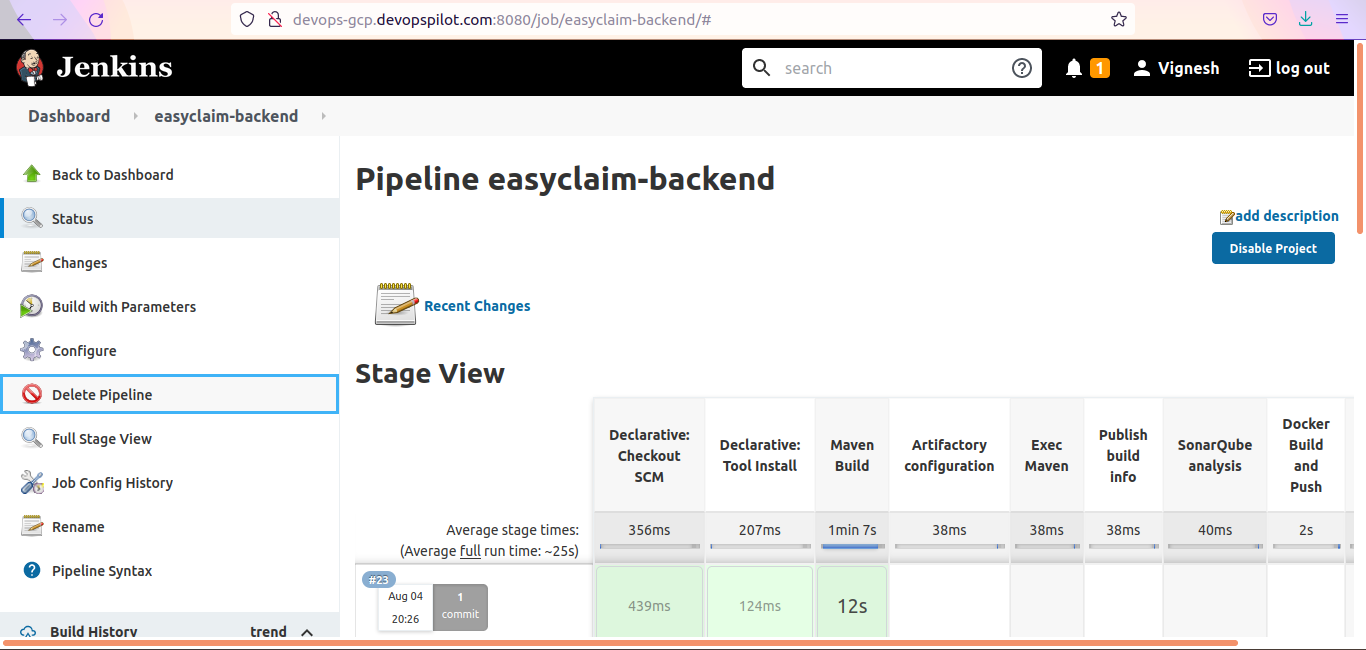
Lets delete a job first
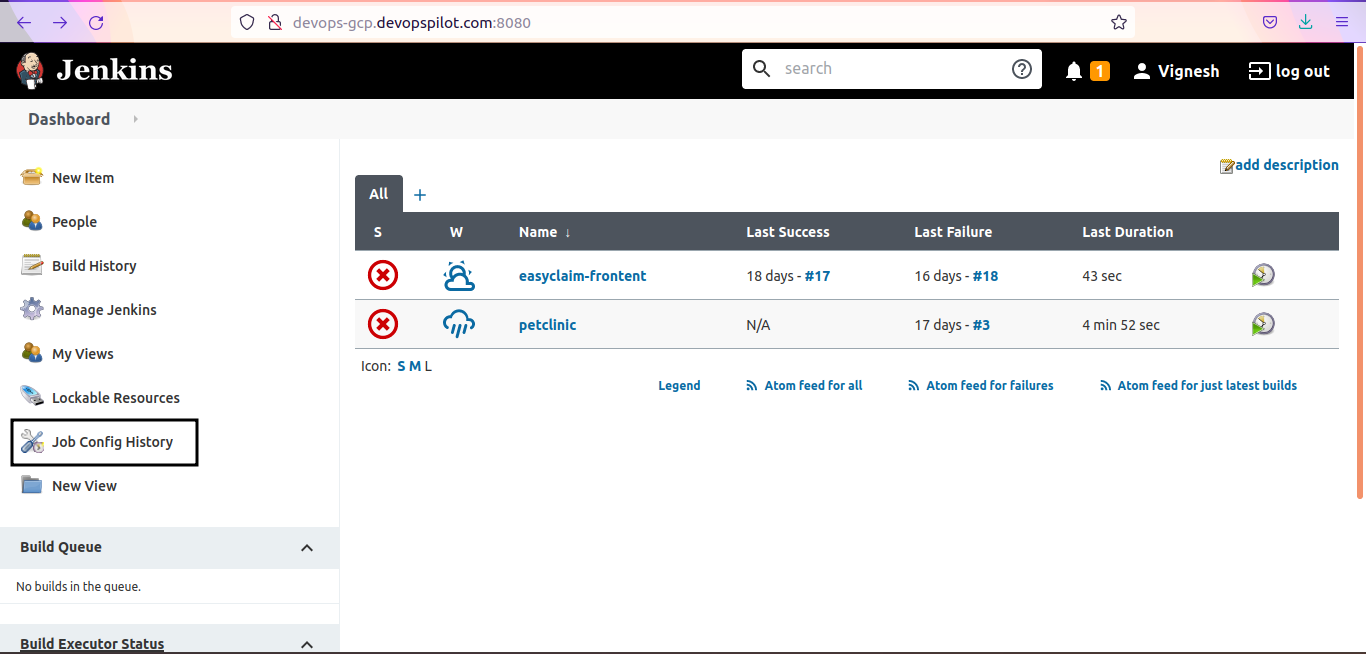
Go to Jenkins Homepage/Dashboard → click on Job Config History
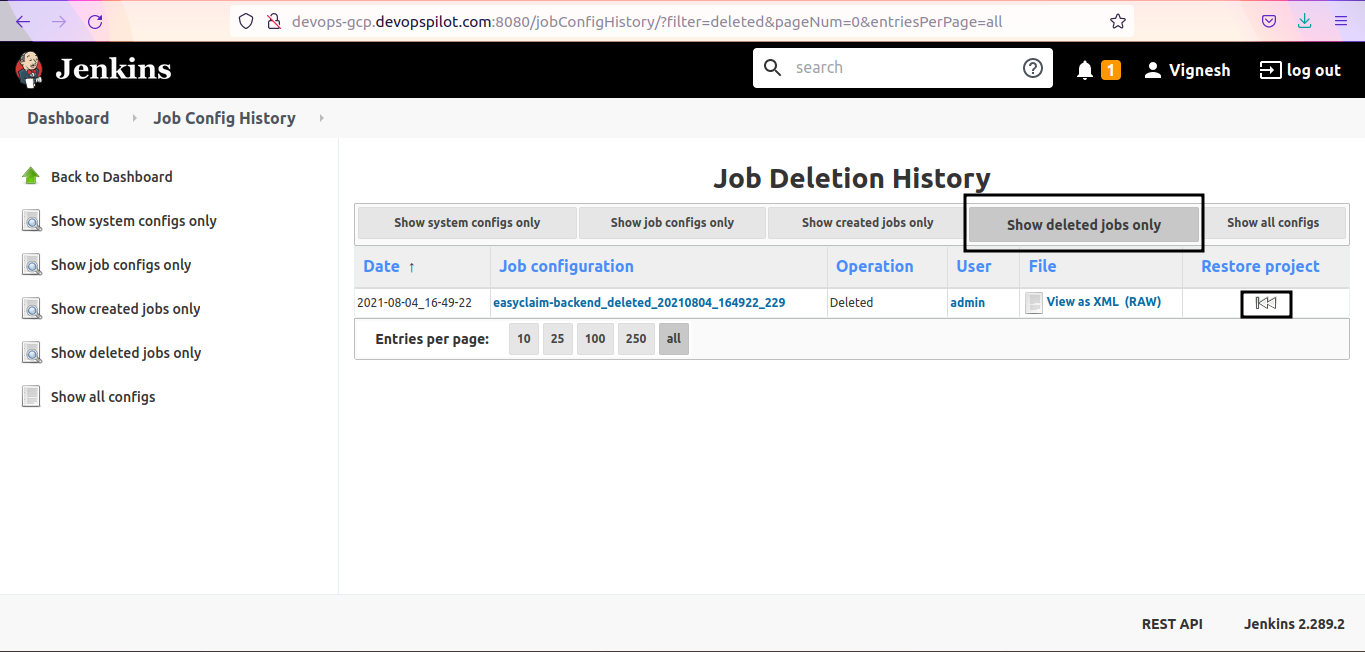
Click on Show deleted jobs only and click on restore icon next to the Job name
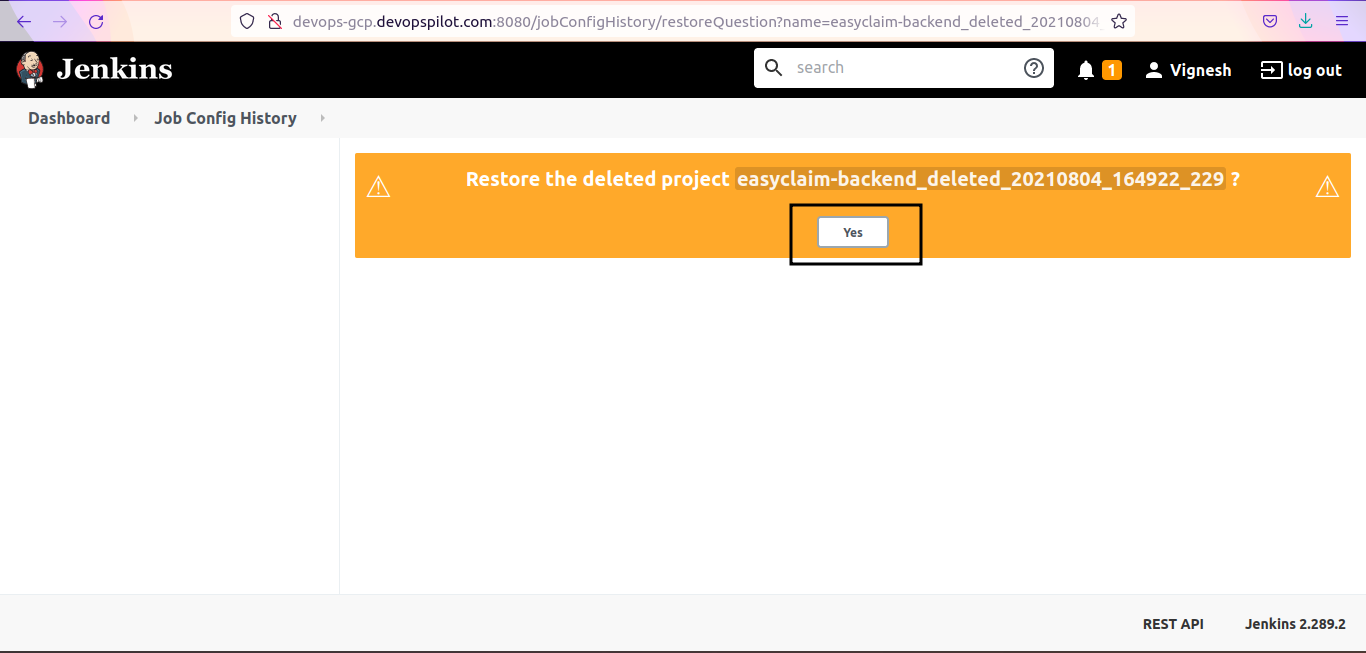
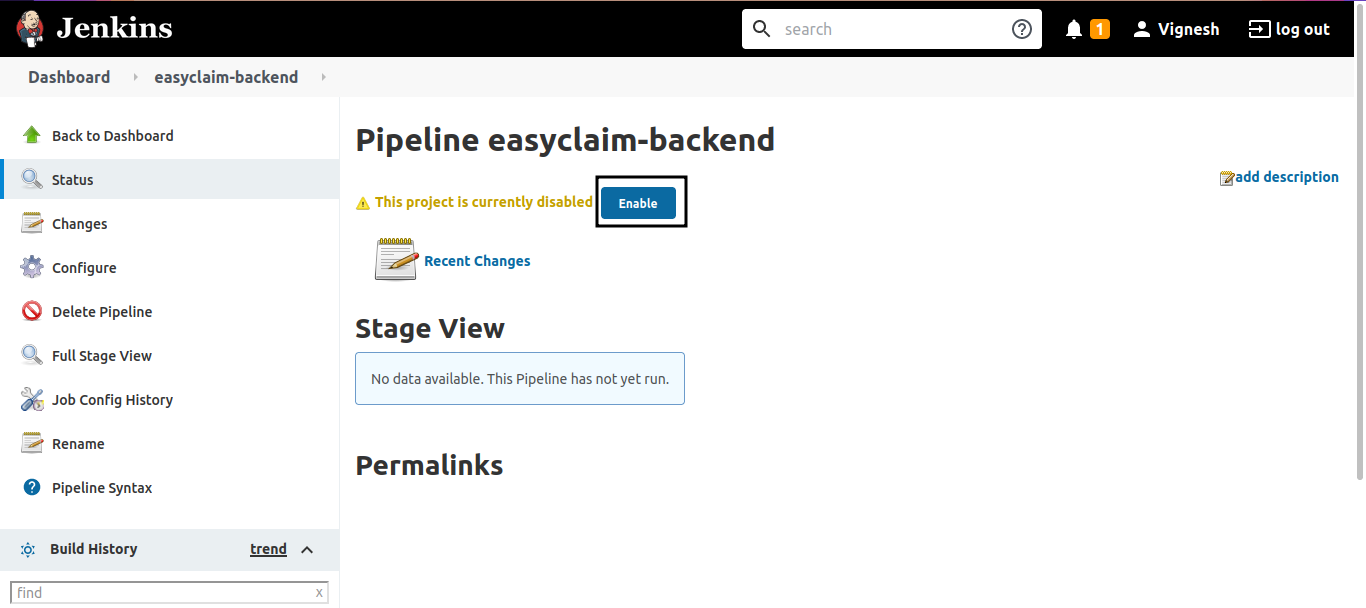
Now Job is restored but not enabled to run the pipeline
Click on Enable to enable the restored job
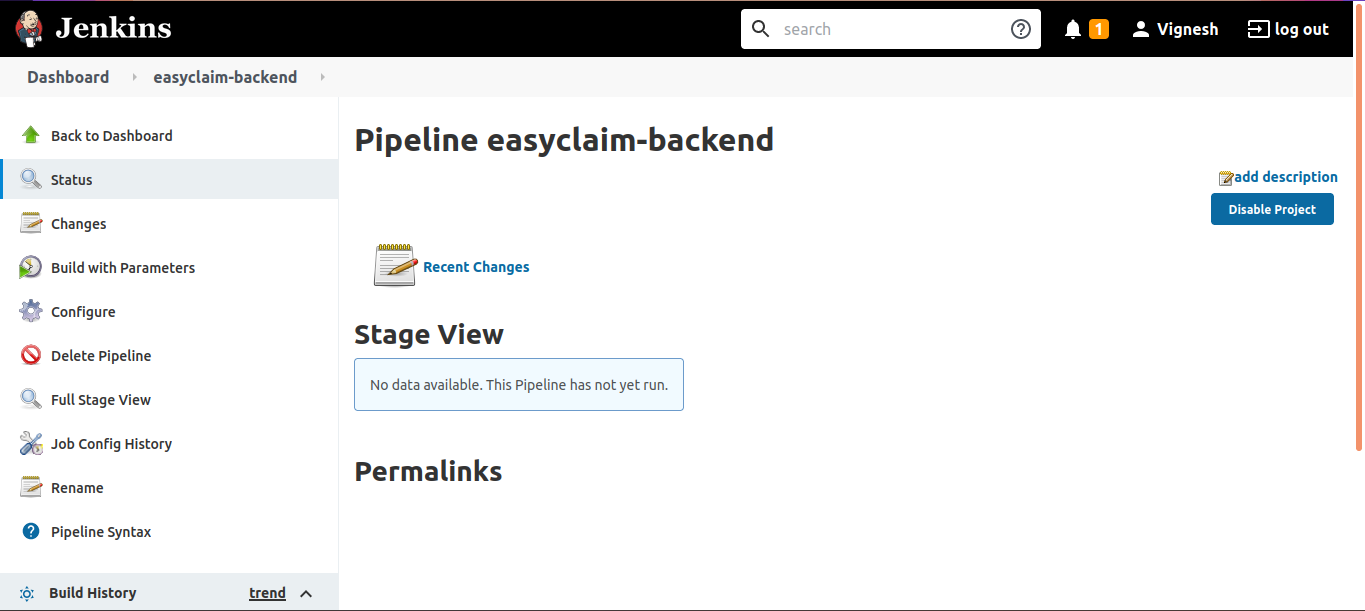
Now pipeline is fully enabled and we can run the pipeline now.
Important Tips
Tip
Plugin Requirement: This feature is NOT available in Jenkins out-of-the-box. You MUST install the "Job Configuration History" plugin. Without it, once a job is deleted, it's gone for good (unless you have backups).
Note
Config History: This plugin also tracks changes to job configurations. If you break a build by changing a setting, you can revert to the previous working configuration using the same plugin.
🧠 Quick Quiz — Restoring Jobs
Can you restore a deleted Jenkins job by default without any plugins?