Global Tool Configurations
In linux servers, we can install only one version of the tool at a time eg: we can install only maven 3.6 version and we cannot have both maven 3.6 and 3.7 version in same server.
By configuring Global Tool configuration, we can have multiple version of maven, nodejs, gradle, java and ant
How to configure multiple versions of maven
From Jenkins dashboard, click on Manage Jenkins
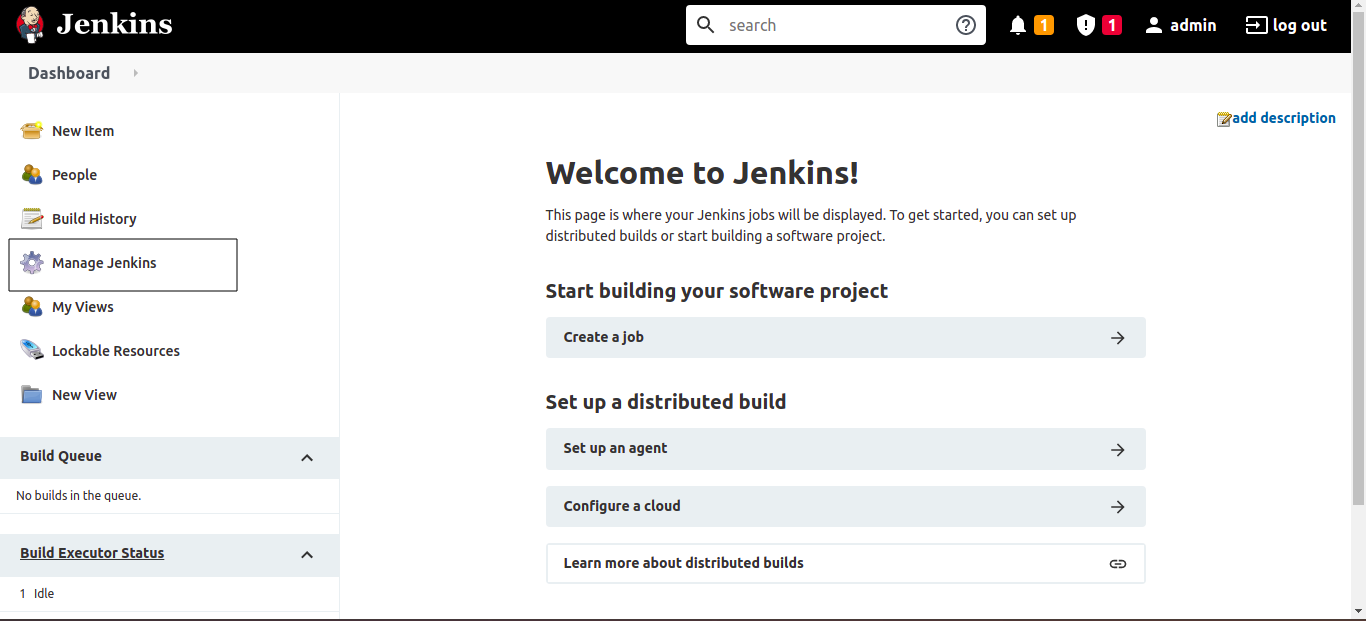
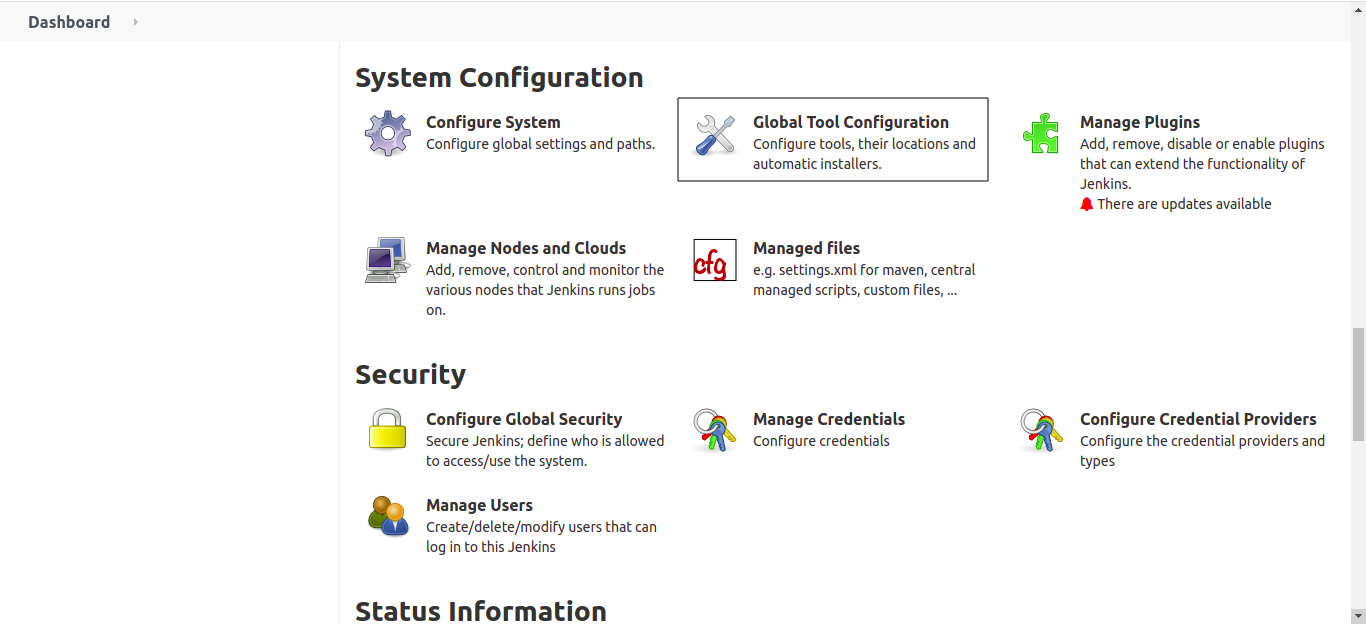
Click on Global Tool Configurations
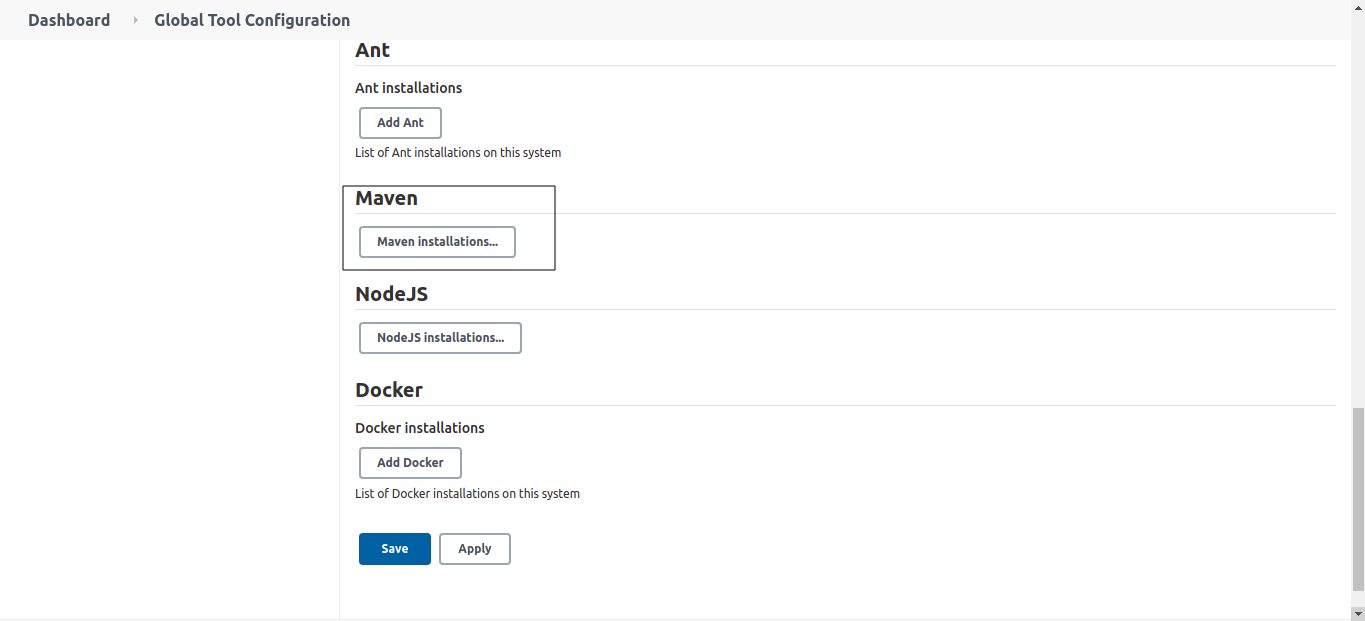
Click on Maven installations..
Scroll down and click on Add Maven and give unique name in Name feild and select the maven version 3.6.3 from the dropdown
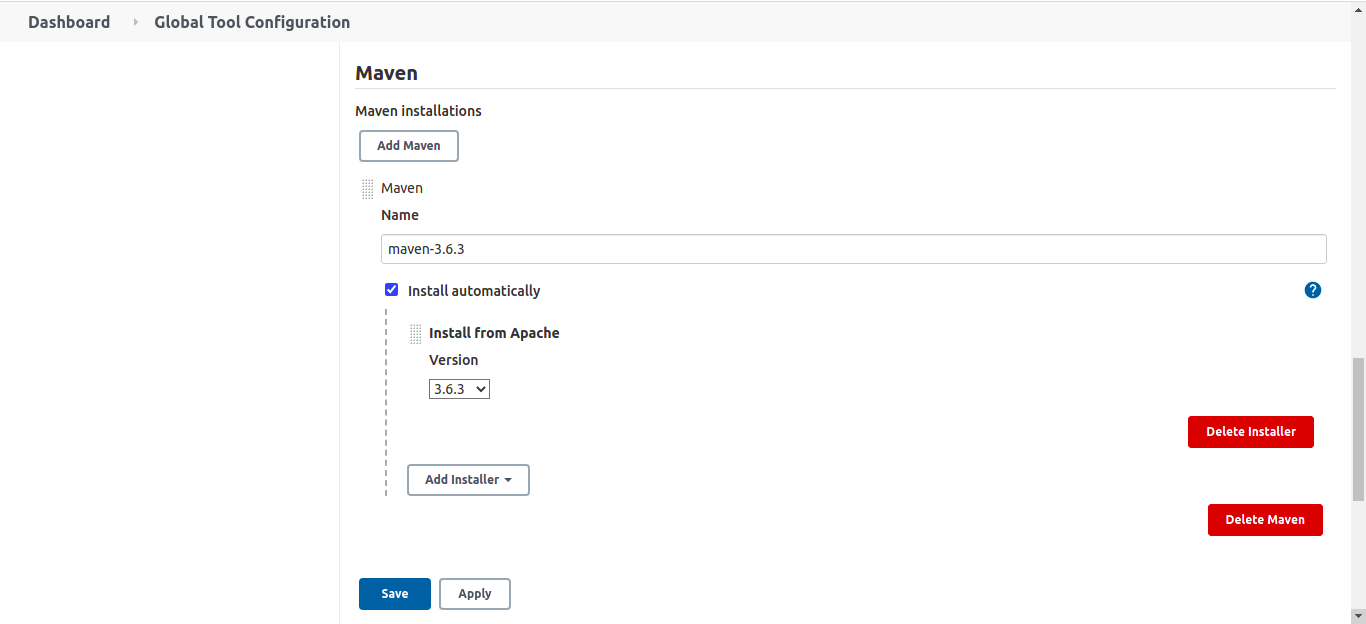
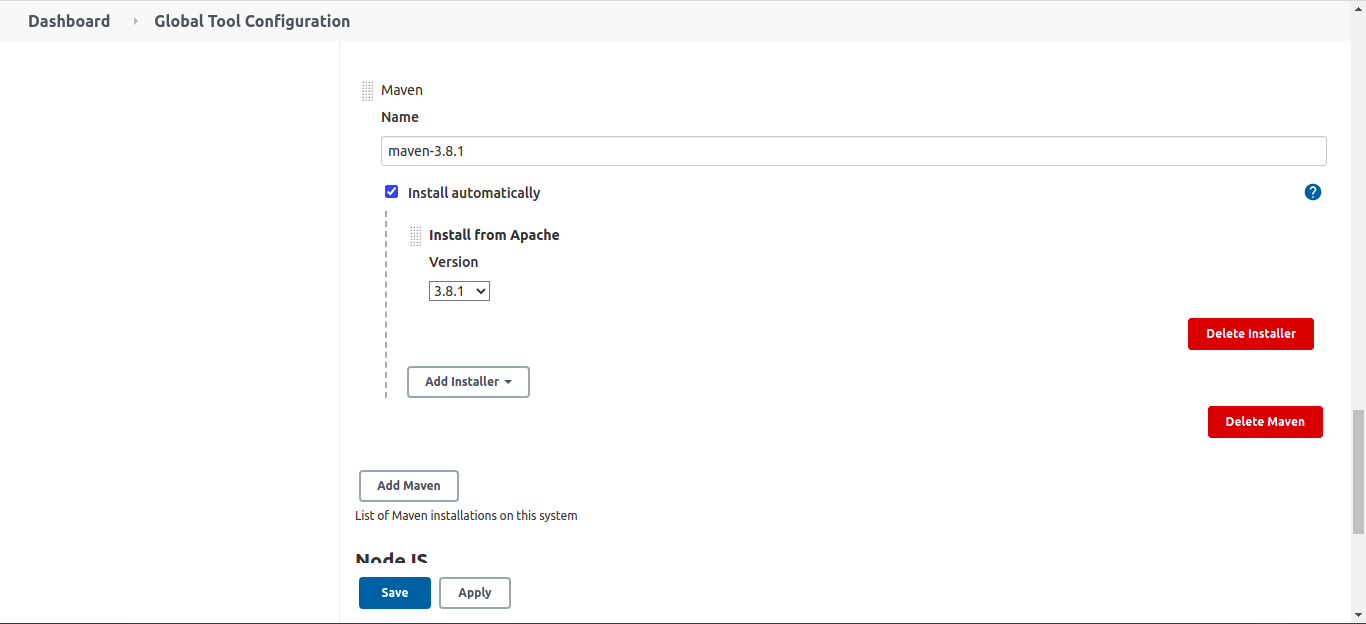
Now click on Add Maven once again
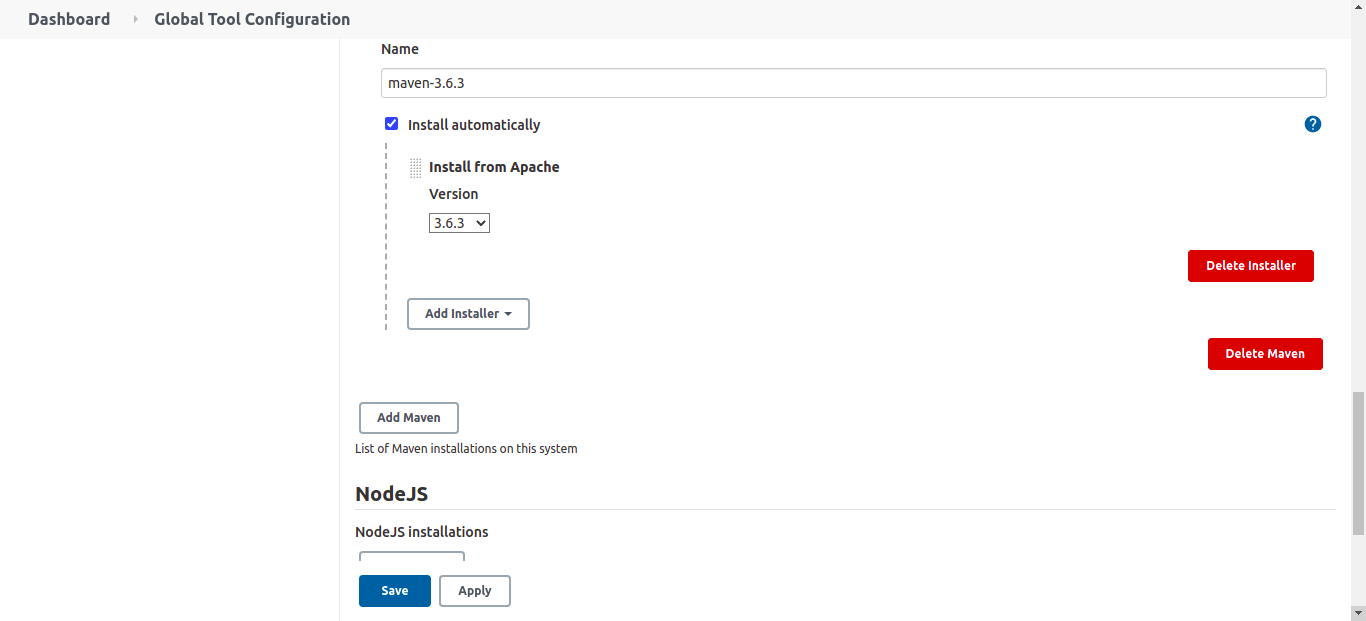
Add the name and select the version 3.8.1 and click on save
How to define maven in Jenkinsfile
tools {
    maven 'maven-3.6.3'
}
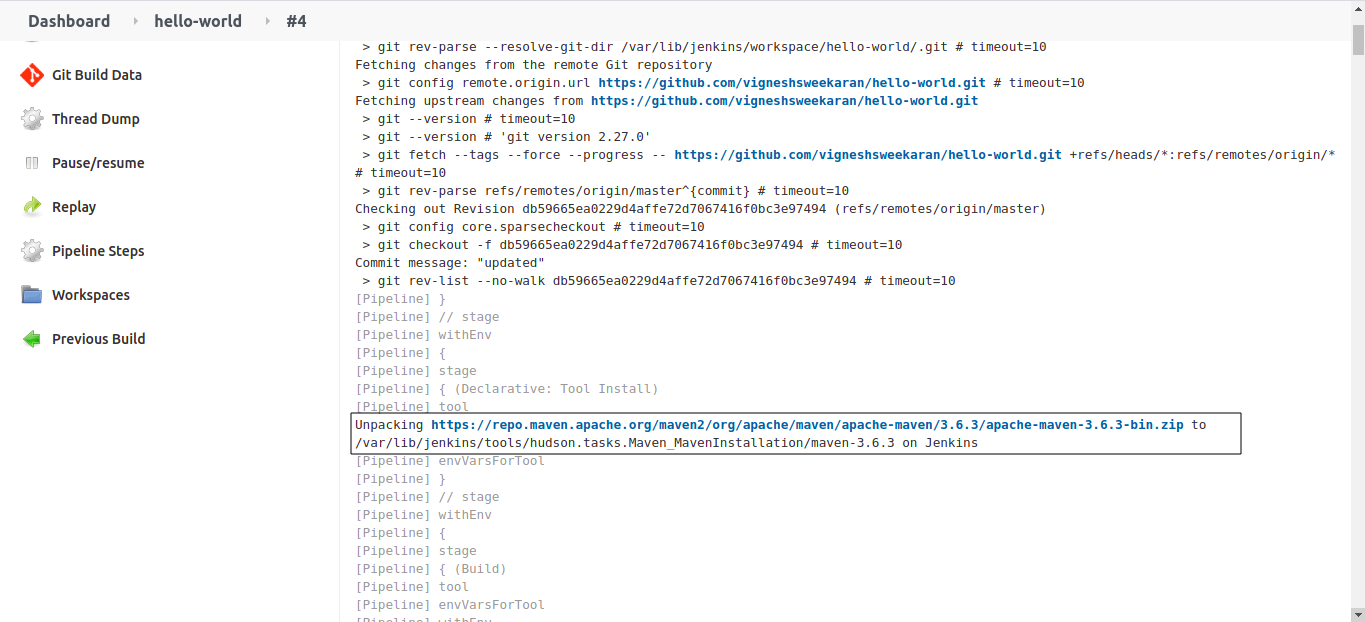
maven-3.6.3 is the unique name which we have given in the global tool configurations.
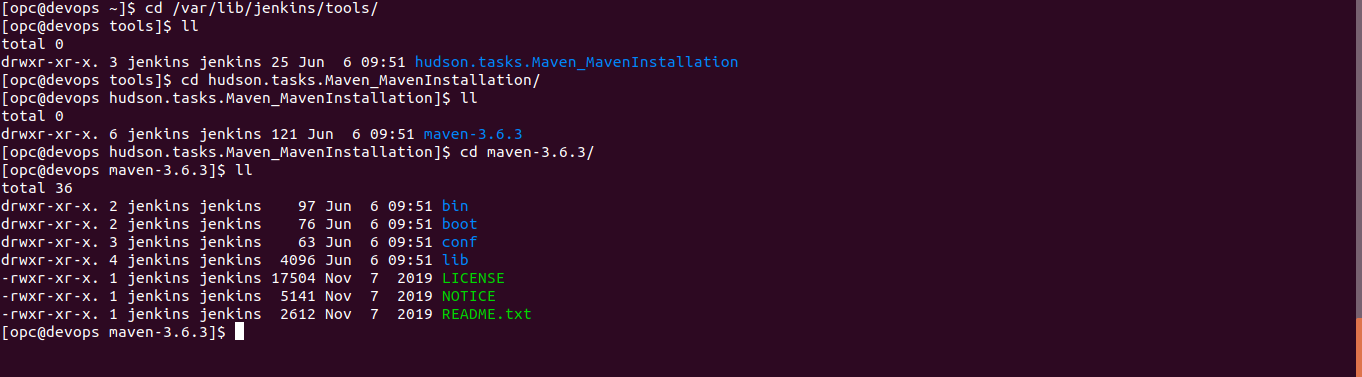
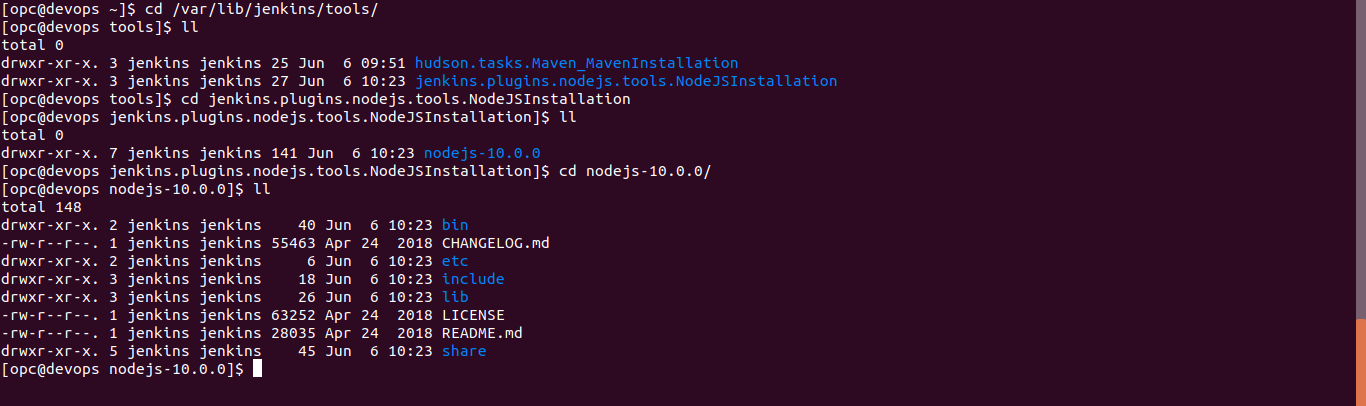
When we use maven for first time by referring to this name and run the job, jenkins will automatically download the maven tar file, extract and save it in /var/lib/jenkins/tools/ folder
From the next build it will use the maven from that folder, it won't download everytime
How to configure multiple versions of nodejs
In Global Tool Configuration scroll down click on NodeJS installations..
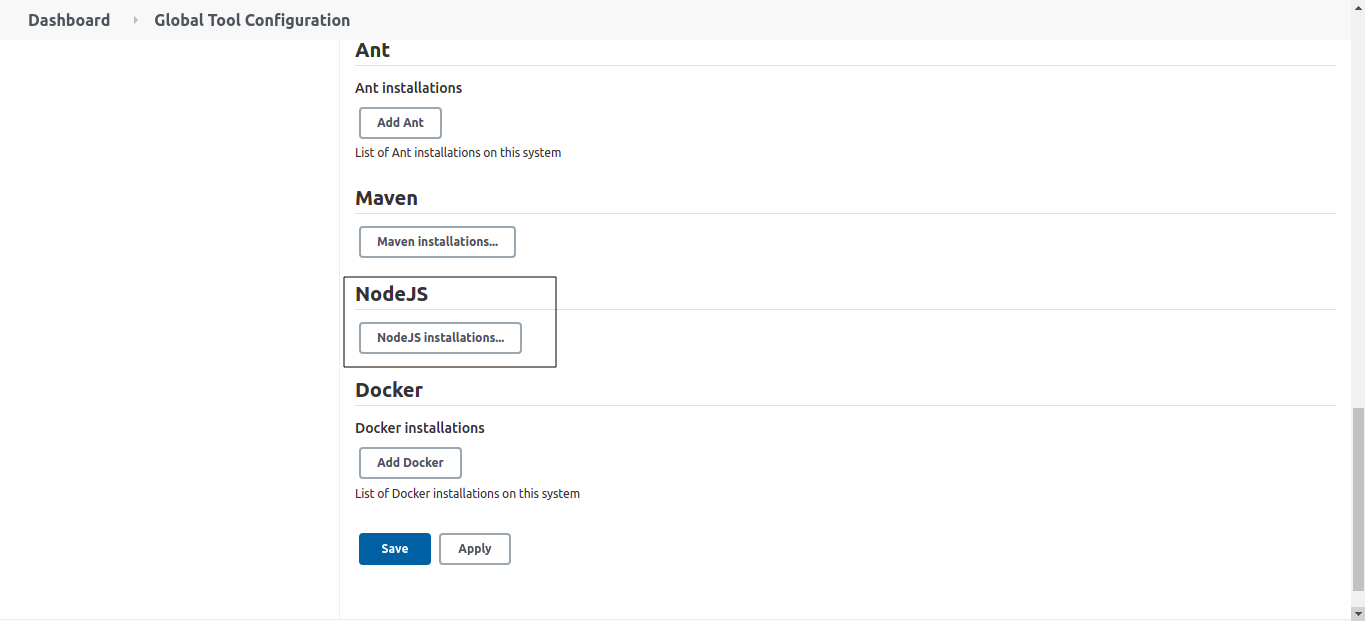
Click on Add NodeJs add the name and selcet the version 10.0.0(As per your requirements)
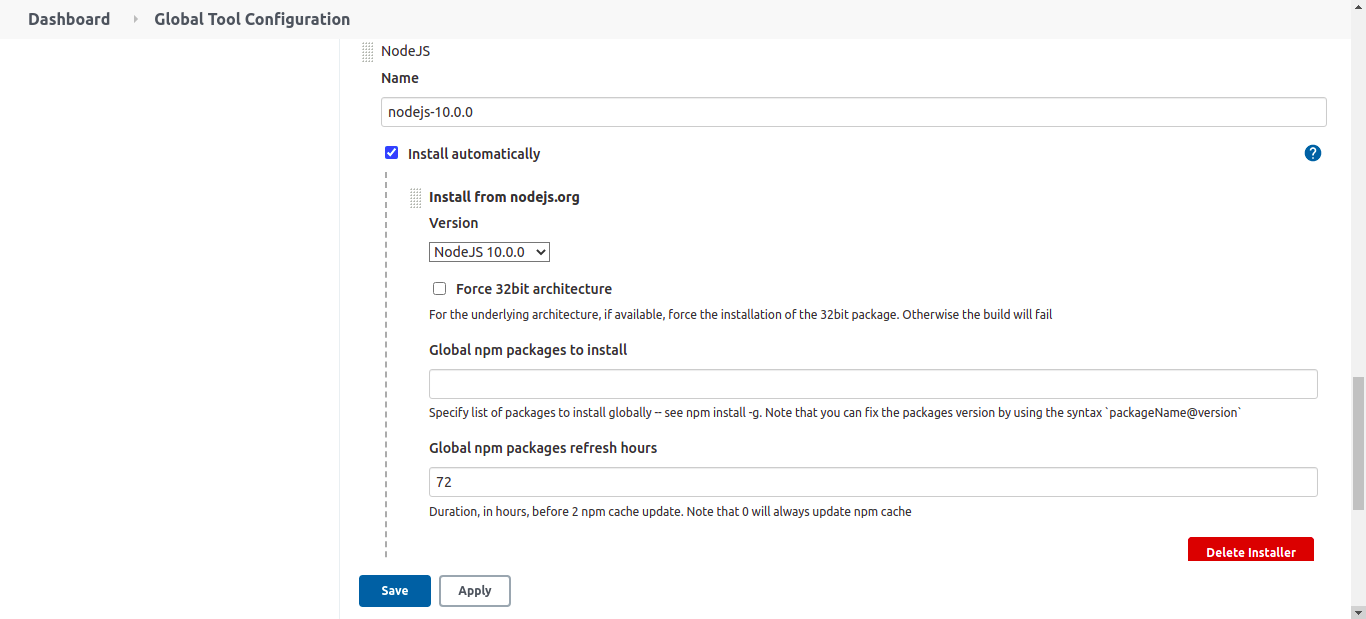
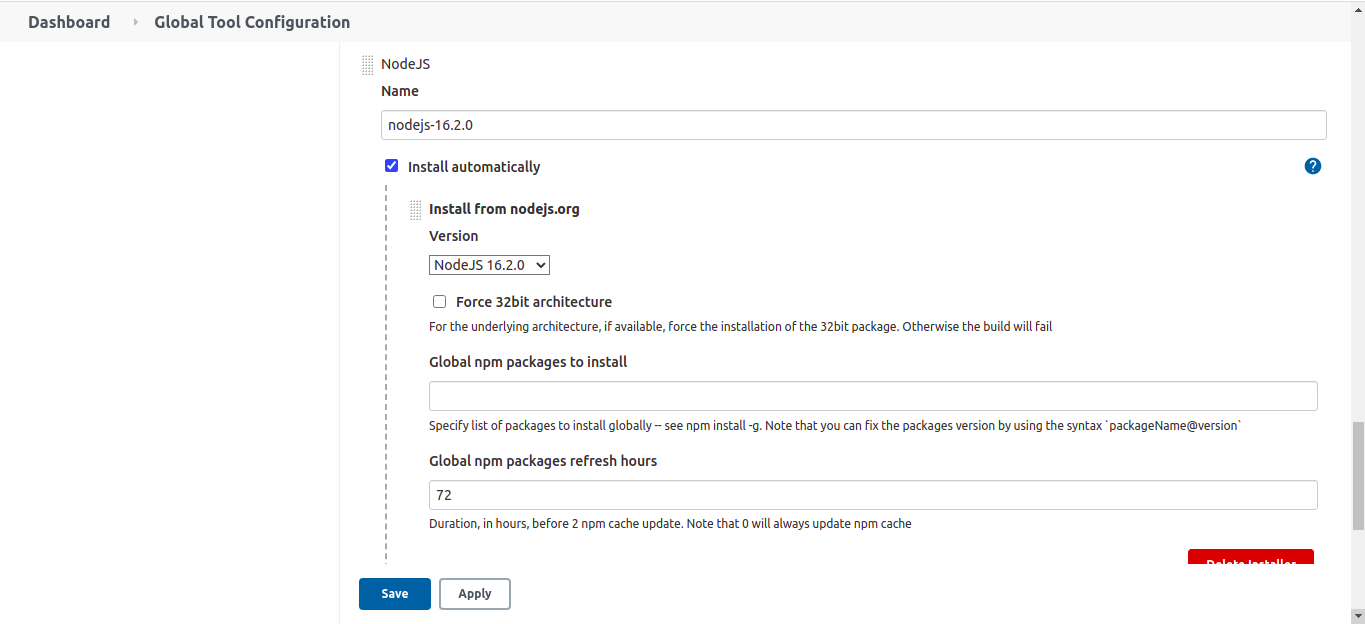
Now click on Add NodeJs once again, give the name and select the required version and click on save
How to use nodejs in Jenkinsfile
tools {
    nodejs "nodejs-10.0.0"
}
nodejs-10.0.0 is the unique name which we have given in the global tool configurations.
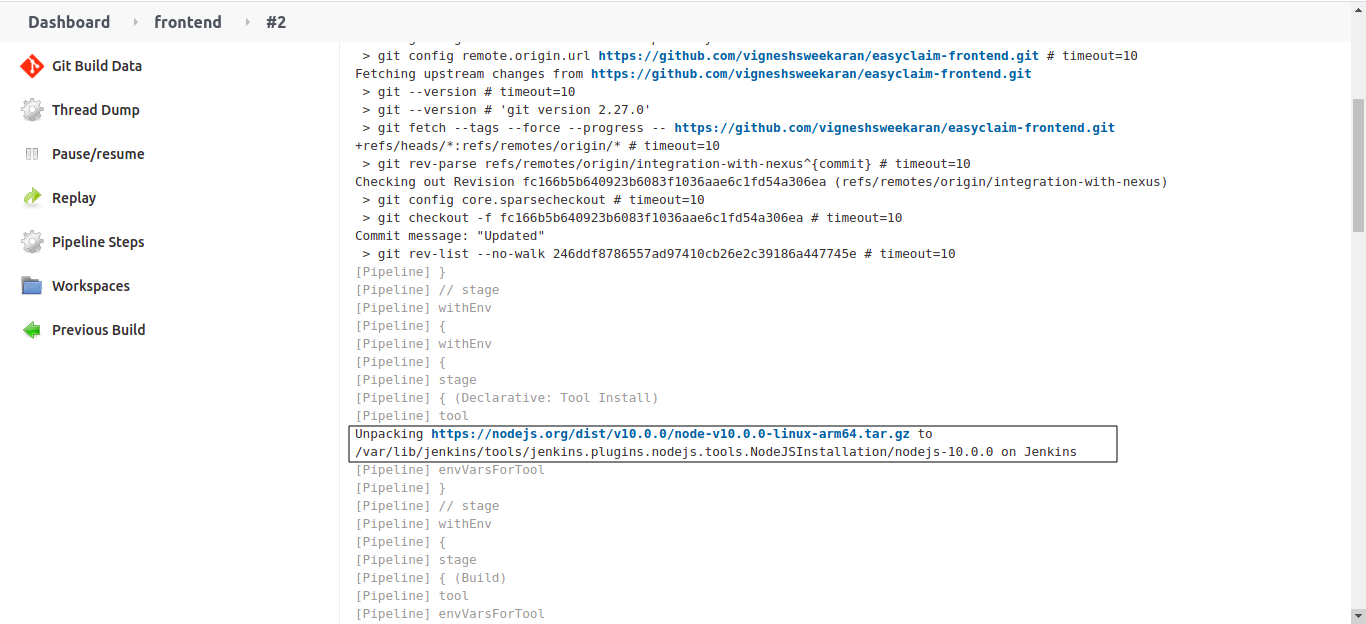
When we use nodejs for first time by referring to this name and run the job, jenkins will automatically download the mnodejs tar file, extract and save it in /var/lib/jenkins/tools/ folder
From the next build it will use the nodejs from that folder, it won't download everytime
Important Tips
Tip
Name Consistency: The Name you assign to a tool in Global Configuration (e.g., maven-3.6.3) is the KEY. You must use this exact string in your Jenkinsfile's tools block. A typo here will cause the pipeline to fail with a "Tool not found" error.
Note
Disk Space: Each tool version is downloaded to every agent that runs a job requiring it. If you have many agents and many tool versions, this can consume significant disk space over time.
🧠 Quick Quiz — Global Tools
What happens when you define a tool (like maven 'maven-3.6.3') in the tools block of a Jenkinsfile?